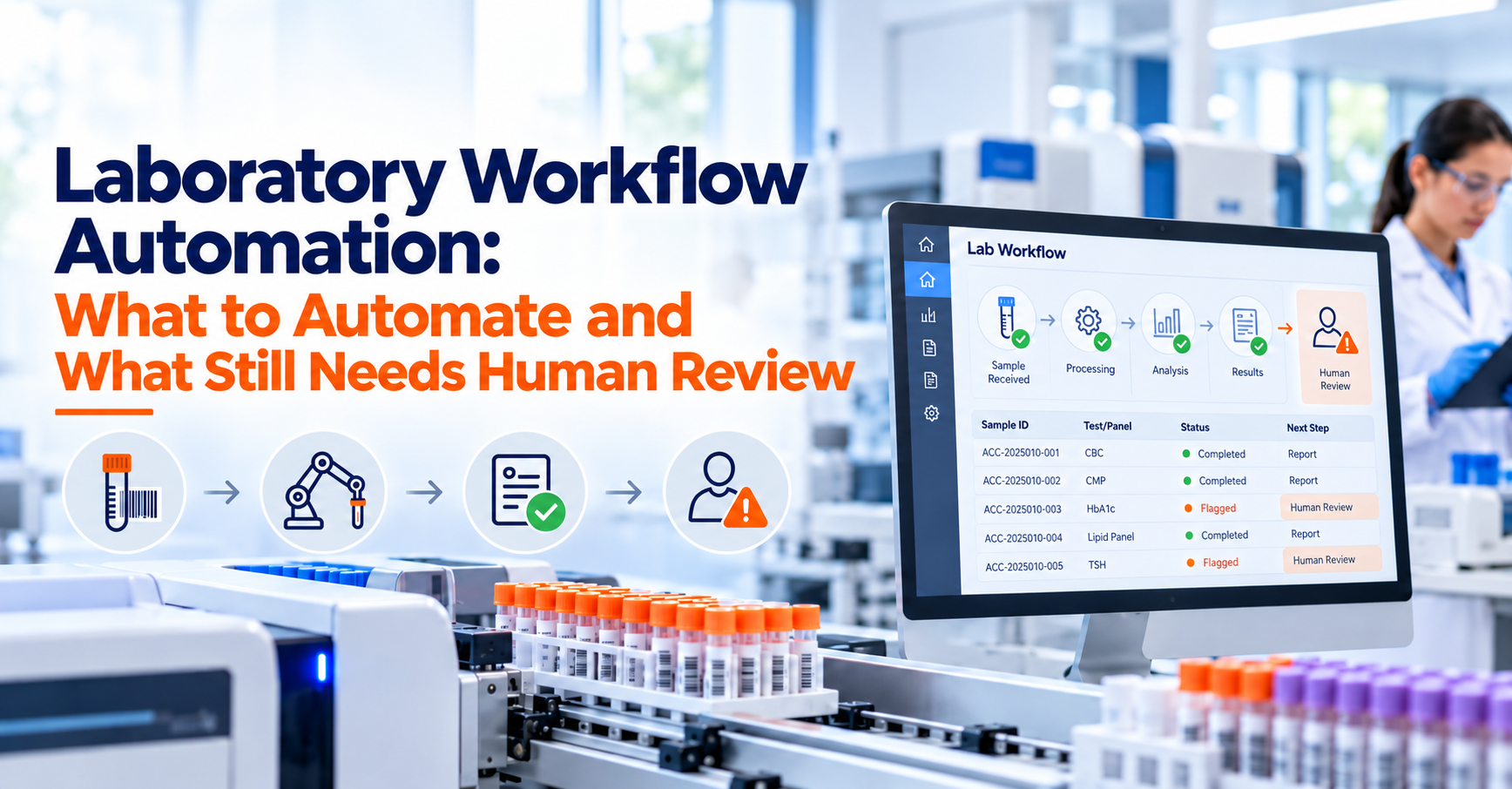
A laboratory can have capable analysts, reliable instruments and well-written procedures and still lose time between one step and the next.
A test may be complete, but the reviewer does not know it is waiting. A sample may require repeat testing, but the follow-up remains in an email. A result may need QA approval, but nobody notices that it has been sitting in a queue since yesterday. An overdue activity may be visible only to the person who originally assigned it.
These are workflow problems rather than analytical problems.
Laboratory workflow automation uses configured rules to move routine laboratory work through defined stages, assign tasks, update statuses, send notifications, route records for review and escalate exceptions while preserving the human decisions that require scientific, technical or quality judgment.
The goal is not to remove people from laboratory work. The goal is to remove unnecessary manual coordination around the work.
A well-designed automated laboratory workflow can make it clear what needs to happen, who is responsible, what has already happened and which records require attention. A poorly designed workflow can do the opposite by automating inappropriate decisions, creating excessive notifications or forcing legitimate exceptions into rigid paths.
The correct objective is therefore not maximum automation. It is appropriate automation.
NIST's Research Data Framework describes a workflow as a sequence of connected operations showing how data moves through tasks, people, tools, inputs and outputs. It also identifies LIMS as software used to support laboratory operations, specimen tracking and data workflows. That is an important way to think about automation: the system should connect the people and activities in the workflow rather than simply make isolated tasks happen faster.
If your laboratory is still defining how its current processes should translate into software, the LIMS implementation guide provides the broader framework for mapping requirements, workflows, configuration, testing and go-live.
What Is Laboratory Workflow Automation?
Laboratory workflow automation is the use of software rules to coordinate repeatable process steps that would otherwise depend on manual assignments, emails, spreadsheets, verbal reminders or users remembering what happens next.
Consider a simple testing workflow. A sample is registered. Tests are assigned. An analyst performs the work. Results are entered or transferred. The completed record moves to technical review. A reviewer either accepts the work or returns it for correction. Once approved, the result moves toward final reporting.
Without automation, someone may need to manually assign every task, update every status, message every reviewer and follow up on every overdue record.
With appropriately configured LIMS workflow automation, predictable transitions can occur according to rules.
Completing sample accessioning may make assigned tests visible to the appropriate department. Finishing result entry may move the work into a review queue. A rejected review may return the record to the responsible analyst. An overdue review may trigger a notification or escalation.
The software coordinates the process, but qualified people still make the decisions that require judgment. That distinction is central to good laboratory automation.
What Should a Laboratory Automate?
The best candidates for automation are activities where the required action is predictable, repeatable and based on clear rules. For example, if every completed microbiology test must move to an authorized technical reviewer, there is little value in requiring an analyst to send a separate email every time.
The routing rule can be configured once and used consistently.
Similarly, if a sample status should change from "In Testing" to "Awaiting Review" only after required result-entry conditions are met, the system can manage that transition rather than relying on another manual update.
Good candidates for workflow automation commonly include task assignments, predictable status transitions, review routing, notifications, due-date reminders, configured escalations and routine handoffs between departments.
Automation becomes less appropriate when the next action depends on interpretation rather than a clear rule.
How Can I Automate Routine Laboratory Workflows Without Losing Control Over Reviews and Approvals?
Automate the movement and coordination of work, but keep scientific interpretation, technical review and required approval decisions with appropriately authorized people.
That separation gives laboratories the efficiency of automation without turning the software into the decision-maker.
Imagine that an analyst completes testing. The system can automatically detect that required result fields are complete and route the record to the assigned reviewer.
That part is coordination. The system should not automatically decide that the scientific result is acceptable merely because all required fields contain values.
The reviewer may need to examine the result, method, specification, instrument information, QC context, calculations, comments or other supporting data before making a decision.
The workflow can bring the correct information to the reviewer. The reviewer remains responsible for the judgment.
LabZila's laboratory workflow automation software is structured around configurable assignments, status changes, notifications, review routing and escalations while retaining the laboratory's defined review and approval stages.
Start by Mapping the Real Workflow
Automation should not begin with software configuration. Begin with the laboratory process.
Follow a real sample from the point it enters the laboratory until the work is complete. Identify what happens during registration, testing, result entry, review, approval, reporting, retention and exception handling.
Then ask who owns each stage.
A useful workflow should make clear who performs the work, what information they need, what event marks completion and what should happen next.
This exercise often exposes processes that look simple on paper but rely heavily on informal communication. For example, a written procedure may say: "Completed results are sent for technical review."
The actual laboratory process may be that an analyst finishes the record, messages a senior analyst, waits for a reply, follows up the next morning and then asks the lab manager to find someone else if the original reviewer is unavailable.
That is an important workflow gap. Automation can help only after the real process has been understood.
Automate Assignments Where Responsibility Is Predictable
Work assignment is one of the strongest candidates for automation.
A laboratory may assign activities according to department, test type, user role, sample type, site or another configured rule.
For example, samples requiring a microbiology panel could enter the microbiology work queue after accessioning.
The system does not necessarily need to choose the exact scientist who performs the work. In some laboratories, a supervisor may still assign individuals based on workload or expertise.
The automation can operate at the appropriate level. This is important because laboratories should not automate more than they can define reliably.
If work assignment depends on complex daily factors, a hybrid process may work better. The LIMS can place work in the correct departmental queue, while an authorized manager makes the final analyst assignment.
The LabZila sample management workflow can connect sample registration and testing information with the later workflow stages rather than treating task assignment as an unrelated process.
Use Status Changes to Show Where Work Actually Stands
A workflow status should communicate something useful. Statuses such as "Open" and "Closed" may be too broad for a laboratory where samples pass through several operational stages.
A more useful workflow might distinguish among received, awaiting preparation, in testing, awaiting repeat work, awaiting technical review, returned for correction, approved and reported.
The exact terminology should match laboratory procedures. Automating appropriate status changes reduces the chance that technically completed work appears to be active simply because nobody remembered to update a field.
However, status transitions should be linked to meaningful events. A result should not automatically become "Approved" simply because an analyst saved it. Completion and approval are different events.
Likewise, "Testing Complete" and "Review Complete" should remain separate where the laboratory requires both stages. Clear statuses make workflow visibility more useful to analysts, reviewers and managers.
Use Notifications to Surface Work That Needs Attention
Notifications are valuable when they tell someone about an action that genuinely requires attention. For example, a reviewer may need to know that a completed test has entered their queue.
A supervisor may need to know that an urgent sample is approaching its due time.
A quality manager may need notification when a defined event enters a quality workflow.
The mistake is notifying everyone about everything. Excessive alerts create notification fatigue. Users start ignoring messages because most of them do not require immediate action.
A good lab workflow management software configuration should therefore distinguish ordinary visibility from true notification.
Routine work can remain visible in a work queue or dashboard. Notifications should be reserved for events where proactively alerting a person provides value.
Escalations Should Be Based on Defined Conditions
An escalation is more than another reminder. It indicates that a task has not progressed according to the expected workflow.
For example, an urgent result may require review within a defined internal target. If the work remains unreviewed after that point, the system could notify the responsible reviewer or escalate it to another authorized role.
The escalation should follow a documented rule rather than an arbitrary timer. Before automating escalation, define what "overdue" means.
Is it based on a contractual turnaround time?
An internal service target?
A sample's stability?
A regulatory obligation?
A manager's preference?
The answer affects how the automation should behave. Poorly designed escalation rules can create constant false urgency. Properly designed ones help teams identify genuine bottlenecks.
Which LIMS Tools Can Route Finished Laboratory Tests to the Correct Reviewer for Signoff or Rework?
A configurable LIMS with role-based workflow routing can move completed test records into the appropriate review queue, allow authorized reviewers to approve or return work and preserve the status history associated with those actions.
The important feature is not simply having an "Approve" button.
The system should understand who is permitted to review the work and what happens after each possible decision.
Imagine a test completed by an analyst.
When required result fields are complete, the record changes to "Awaiting Technical Review." The configured reviewer sees it in their work queue.
If the work is acceptable, they complete the review and the record proceeds to the next defined stage.
If information is missing, they return the record for correction, ideally with a reason or comment.
The analyst receives the returned activity, resolves the issue and resubmits it. The system preserves the progression rather than treating the corrected record as though the first review never happened. This type of workflow reduces reliance on email chains while maintaining a clearer history of the review process.
Role-Based Routing Is More Reliable Than Person-Based Routing
Routing every task to one named employee can create operational problems. People take leave. Teams change. Responsibilities move.
Where possible, workflows can be designed around authorized roles or groups rather than one permanent individual.
For example, a completed test might route to the "Authorized Chemistry Reviewer" role.
Users assigned to that role can see the work according to the laboratory's configuration and procedures. That does not mean any reviewer should approve any result.
Qualifications, department, site, method authorization or other factors may still need to control eligibility.
The point is to separate workflow logic from unnecessary dependence on one person's name. This makes the process easier to maintain as the organization changes.
How Do I Set Up Role-Based, Multi-Stage Approval Workflows Across Laboratory Departments?
Define each approval stage, the role authorized to act at that stage, the criteria for entering and leaving it, the possible outcomes, and the route the record should follow after each outcome.
Start with the simplest complete version of the process. A workflow might be: Analyst completion → Technical review → QA review → Final authorization → Reporting
Not every laboratory needs every stage. Some workflows may require only technical review before release.
Others may require different stages according to sample type, test, client, product or regulatory context.
For each stage, define who may act. Then define what they can do.
A technical reviewer might approve, return for correction or request repeat work. QA may be able to approve, place the record on hold or connect the issue with a deviation.
Final authorization may control whether a report or Certificate of Analysis can be issued. The workflow should reflect actual authority rather than merely reproducing the organizational chart.
Avoid Unnecessary Approval Layers
More approvals do not automatically create more control. Every additional review stage adds time and responsibility.
If two consecutive reviewers are performing exactly the same check, the laboratory should ask whether both steps are necessary.
The goal should be meaningful control points.
One reviewer may focus on analytical completeness and technical validity.
Another may have a separate quality responsibility.
Those are different functions.
Adding several approvals simply because the system supports them can slow turnaround without improving quality.
Automation should make the laboratory's intended process more consistent, not make the process more complicated.
Repeat Testing Needs Its Own Workflow
Repeat testing is a good example of why laboratory automation cannot be designed only around the normal path. A result may require additional work.
The system should not simply allow a user to overwrite the earlier result and continue as though nothing happened.
The workflow should preserve the relationship between the original activity and the repeat work according to the laboratory's procedures.
The reason for repeat testing may matter.
The new work may need authorization.
Additional samples or aliquots may be involved.
The repeated result may require another review.
A configurable workflow can route this activity appropriately while maintaining traceability to the original sample and test.
The scientific decision about whether repeat testing is justified should not be made automatically unless there is a clearly approved rule that genuinely supports such an action.
Exception Handling Is More Important Than the Happy Path
Most workflow demonstrations show the ideal sequence. A sample arrives. Testing is completed. The reviewer approves it. The report is issued. Real laboratories are less predictable.
Samples can be rejected during intake. Instruments can fail. QC can fail. Results may require correction. Reviewers may send work back. Required information may be missing. A client may change a request. A sample may be insufficient for additional testing.
A good automated workflow needs defined exception paths. Otherwise, employees will create unofficial processes outside the LIMS.
They may use email to manage rework, spreadsheets to track rejected samples or chat messages to document priority changes.
Once that happens, the laboratory loses the connected history automation was supposed to create.
This is why exception handling should be designed during implementation rather than added only after users discover that normal work does not fit the configured path.
The LIMS requirements checklist can help laboratories document these workflow requirements before configuration begins.
What Should Still Require Human Review?
Scientific interpretation should remain with qualified personnel where judgment is required. A system can compare a numerical result with a configured limit.
It can flag that the value falls outside the expected range.
It can route the record to an authorized reviewer.
It should not automatically perform a scientific investigation or determine the root cause simply because a threshold was exceeded.
Similarly, a system may identify an unusual trend but a qualified person may need to determine whether the pattern reflects analytical variation, instrument performance, sample behavior or another explanation.
The distinction is important. Automation is strongest at enforcing predictable process rules. Human expertise remains essential when context changes the meaning of the data.
Technical Review Should Not Become a Checkbox
A poorly designed digital workflow can turn meaningful review into a quick button press. If users are presented only with an "Approve" action and little relevant information, automation may speed up the wrong behavior.
The reviewer should have access to the context needed for the decision.
Depending on the workflow, that may include the sample, test, method, result, specification, instrument information, calculations, QC context, comments, amendments and previous review history.
Automation should reduce the effort required to find that information. It should not reduce the quality of the review itself.
Quality Decisions Often Need Qualified Oversight
Quality workflows deserve similar caution. A system can initiate a deviation form when a configured event occurs.
It can assign an owner.
It can track due dates.
It can send reminders.
It can route the record through an approval sequence.
However, determining root cause, deciding whether CAPA is warranted, evaluating impact or approving closure may require qualified quality and technical personnel.
Where quality processes are involved, the workflow should reflect the laboratory's quality system rather than allowing automation to create conclusions automatically.
LabZila's laboratory QMS software can support structured deviations, CAPAs and related quality workflows while maintaining the distinction between workflow coordination and responsible quality decisions.
Electronic Approval Does Not Remove Accountability
Automating review routing does not make the approval itself automatic. In regulated environments, electronic records and signatures may carry specific requirements.
FDA's Part 11 guidance recommends a risk-based approach to computerized systems and emphasizes the accuracy, reliability, integrity, availability and authenticity of required electronic records and signatures. The applicability of Part 11 depends on the underlying FDA requirements and how electronic records and signatures are used. U.S. Food and Drug Administration
For laboratories where Part 11 applies, automation should therefore operate within appropriate access, validation, record and signature controls.
LabZila provides a dedicated 21 CFR Part 11 LIMS overview for laboratories evaluating those requirements.
Software can support the controls. The laboratory remains responsible for determining applicability, validating its intended use where required and maintaining appropriate procedures and governance.
How Automated Status Changes Should Work
Status automation is most useful when a transition has a clear trigger. For example:
A sample can become "Received" when receipt is completed.
A test can become "In Progress" when work begins.
A completed test can become "Awaiting Review" when required result information is submitted.
A report can become eligible for issuance only after required approvals are complete.
Each transition should reflect an actual change in the record's state.
Avoid creating status changes merely because time has passed.
A result should not automatically become approved after 24 hours.
A sample should not automatically become disposed simply because its nominal retention period expired.
Time may trigger an alert or task. It should not necessarily execute a decision that requires confirmation.
Notifications, Tasks and Statuses Should Not Be Confused
These three elements serve different purposes.
A status describes where the work currently stands.
A task identifies an action someone needs to complete.
A notification tells someone that something relevant occurred or needs attention.
Good workflow design keeps those purposes separate. Suppose a result enters technical review. Its status becomes "Awaiting Technical Review."
A review task appears for an authorized reviewer.
A notification may tell that reviewer that urgent work has arrived.
These three actions are connected, but they are not the same. When systems treat every status change as an email or every notification as a task, workflows quickly become noisy.
Automated Laboratory Workflows Need Traceability
Users should be able to understand what happened to a record. That becomes particularly important when work is returned, reassigned or escalated.
A workflow history may need to show that an analyst completed a test, the record entered review, the reviewer returned it, a correction was made and the work was resubmitted.
This history helps teams understand how the final record reached its current state.
It also makes troubleshooting easier.
If a report was delayed, managers can identify whether the delay occurred during testing, review or approval rather than simply knowing that completion was late.
Traceability is one of the strongest benefits of connecting workflow activity in the LIMS instead of coordinating it through disconnected email and spreadsheets.
Automation Can Improve Turnaround Visibility Without Promising Faster Science
Laboratory automation is sometimes described as automatically reducing turnaround time. That claim needs qualification.
A workflow system cannot make a three-hour analytical method finish in 30 minutes simply by routing tasks automatically. What it can do is reduce avoidable waiting between activities.
If completed testing sits unnoticed for a day before review begins, automation can help surface that delay.
If an urgent sample reaches the wrong department, rule-based routing may reduce the handoff time.
If an overdue review is invisible, escalation can make it visible.
Workflow automation is therefore often strongest at reducing administrative latency around laboratory work rather than altering the scientific time required to perform the work.
Avoid Automating a Bad Process
A slow process does not become a good process because software executes it automatically. Before configuring automation, challenge unnecessary steps.
Why is this approval required?
Why is this information entered twice?
Why is this status manually updated?
Why does this sample need to be reassigned three times?
Why does QA receive this record if QA does not perform an actual review?
If the answer is "because we have always done it that way," the process deserves examination. Automation should follow deliberate process design.
The How to Choose the Right LIMS guide is useful when evaluating whether potential systems can support the laboratory's real workflow through configuration rather than forcing the laboratory into unnecessary custom development.
How to Build an Automated Laboratory Workflow
A practical design starts by defining the beginning and end of the process. Then identify each meaningful stage between those points.
For every stage, determine what enters the stage, who is responsible, what information is required, what conditions indicate completion and which possible outcomes exist.
Next, separate deterministic actions from judgment-based decisions.
A deterministic action is one where the same input should produce the same process response. Those actions are often good automation candidates.
A judgment-based action requires someone to interpret context. Those actions should usually remain with an authorized person. Then design the exception paths.
Ask what happens when testing fails, information is missing, work is rejected, a reviewer is unavailable, a deadline is missed or an instrument fails.
Finally, test the workflow using realistic cases rather than only ideal examples.
A workflow is ready when it handles normal work and legitimate exceptions without forcing users to maintain shadow processes outside the LIMS.
A Practical Example of Laboratory Workflow Automation
Consider a contract testing laboratory receiving customer samples. The sample is accessioned and assigned to chemistry. The LIMS places the required tests in the chemistry queue. An analyst performs testing and enters the results.
When the record satisfies the configured completion requirements, it moves to technical review. The reviewer sees the work in their queue. If information is incomplete, the reviewer returns the record with a reason. The analyst corrects or completes the appropriate information and resubmits it.
If the reviewer accepts the work, the workflow proceeds to the next required stage. Once all necessary approvals are complete, approved data becomes available for reporting. Notice what the automation did.
It assigned and routed work, maintained statuses, surfaced review activities and handled the return path.
It did not interpret the analytical result, decide whether an unusual value was scientifically justified or replace the reviewer. That is appropriate workflow automation.
What Should You Look for in Laboratory Workflow Software?
A useful laboratory workflow software platform should allow the laboratory to configure work around actual responsibilities rather than relying on a single fixed process.
Evaluate whether the system can support role-based assignments, meaningful statuses, work queues, notifications, escalation rules, multi-stage review, return-for-correction paths, repeat testing and exceptions.
Also examine what history remains after those events. Ask the vendor to demonstrate a failed or rejected workflow, not only a successful one. For example, ask:
What happens if the reviewer rejects the result?
What happens if a reviewer is unavailable?
Can work be reassigned without losing history?
Can different sample types use different approval routes?
Can repeat testing remain connected to the original work?
Can an urgent sample use a different escalation rule?
What prevents an unauthorized user from approving a record?
A realistic demonstration reveals much more than a feature checklist.
Where LabZila Fits
LabZila is designed to connect sample management, testing, workflow routing, quality processes and reporting within one configurable LIMS environment.
Its workflow automation capabilities can support assignments, notifications, status transitions, review routing and escalations while maintaining traceability across the laboratory process.
That allows routine coordination to happen inside the same system where the laboratory's samples and testing records are managed.
The laboratory still determines its approval structure, authorized roles, scientific decision criteria, quality procedures and regulatory responsibilities. That division is important.
LabZila can help automate the workflow around laboratory decisions. It should not be presented as replacing the qualified people responsible for making those decisions.
Laboratories evaluating how to reduce manual handoffs while retaining appropriate review can contact LabZila to discuss their sample, testing, approval and exception workflows.
Frequently Asked Questions
How can I automate routine laboratory workflows without losing control over reviews and approvals?
Automate predictable coordination tasks such as assignments, status changes, review routing, reminders and escalations, while keeping scientific interpretation, technical review and approval decisions with authorized personnel. Define each workflow stage, required data, responsible role and possible outcome before configuring the automation. The system should move the work to the right person, but the appropriate person should still make decisions that require technical or quality judgment.
Which LIMS tools can route finished laboratory tests to the correct reviewer for signoff or rework?
A configurable LIMS with role-based workflow management can route completed tests into an authorized review queue, allow reviewers to approve or return work and preserve the associated workflow history. Useful capabilities include work queues, role-based permissions, configurable statuses, return-for-correction paths, notifications and escalation rules. The laboratory should verify how the system handles both successful approval and rejected or incomplete work.
How do I set up role-based, multi-stage approval workflows across laboratory departments?
Define the required approval stages first, then assign the appropriate role to each stage and specify what allows a record to enter or leave that stage. For example, a workflow may progress from analyst completion to technical review, QA review and final authorization. Each reviewer should have clearly defined actions, such as approve, return for correction or place on hold. Different workflows can use different approval structures when laboratory requirements differ.