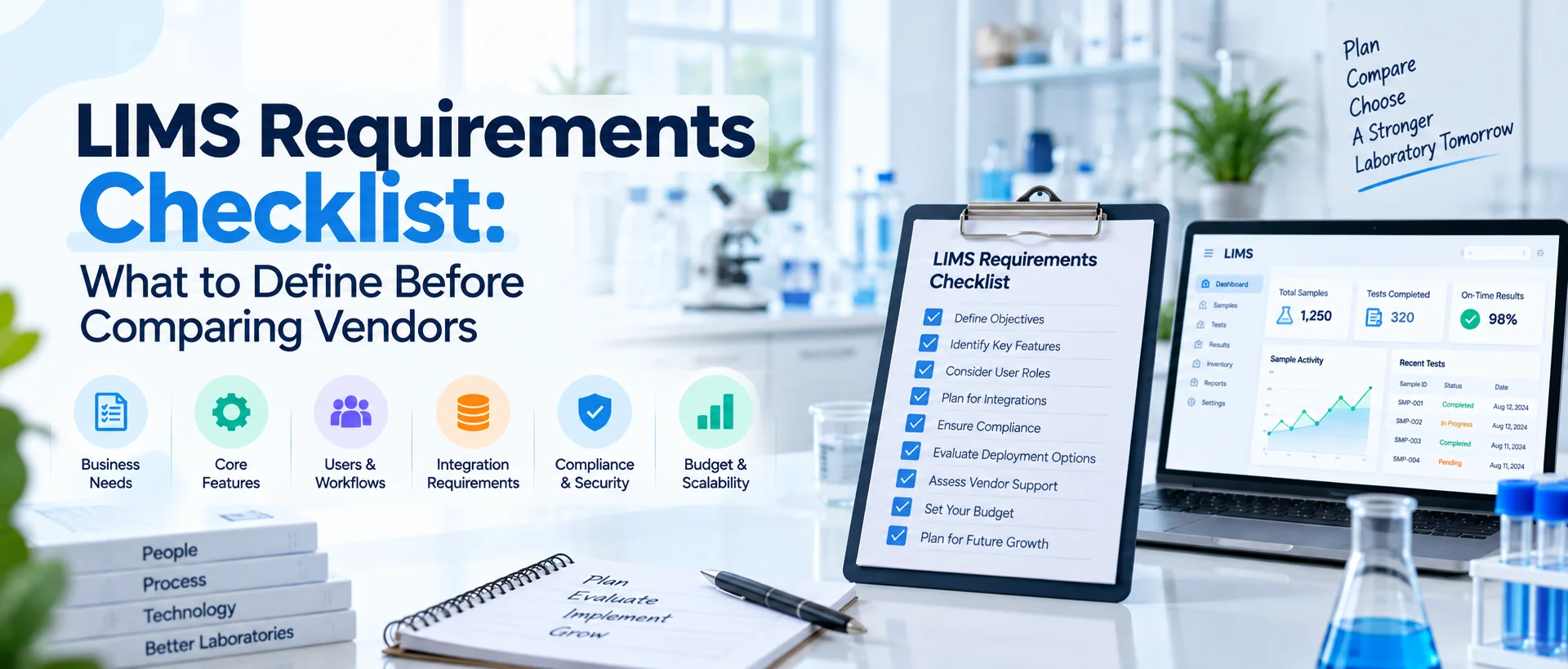
A LIMS project can become difficult long before implementation begins. The problem often starts when a laboratory compares vendors without first agreeing on what the new system actually needs to do.
One department asks for sample tracking. QA focuses on auditability. IT asks about integrations and security. Management wants dashboards.
Analysts want fewer manual steps. Procurement wants accurate pricing. All of those concerns are valid, but they need to become documented requirements.
A complete LIMS requirements checklist should define functional workflows, samples and testing, users and permissions, quality processes, reporting, integrations, data migration, security, deployment, performance, validation, implementation, training, support and future scalability.
Each requirement should be specific, prioritized and testable so vendors can be compared against the same expectations. The objective is not to create the longest possible checklist.
It is to define what your laboratory actually needs before software demonstrations begin. For the broader decision process, use the How to Choose the Right LIMS for Your Laboratory guide alongside this checklist.
Why Do You Need a LIMS Requirements Checklist?
Without documented requirements, LIMS selection becomes subjective. One vendor may impress the team with dashboards. Another may demonstrate workflow automation. Another may emphasize AI or integrations.
The team can leave each demonstration with a different impression because every vendor has effectively defined its own evaluation criteria. A requirements document changes that.
Instead of asking: “What can your LIMS do?” you can ask: “Show us how your LIMS satisfies Requirement SM-04: users must be able to identify the current status and storage location of an active sample from its unique laboratory ID.”
That is much easier to evaluate. A good requirements checklist also improves: vendor comparisons, proposal accuracy, implementation scoping, cost estimates, testing, training planning, and eventual acceptance of the system.
NIST's LIMS roadmap emphasizes functions such as workflow management, data repositories, search and retrieval, data interfaces and long-term system sustainability. Those areas reinforce why a laboratory requirements exercise needs to address the complete information environment rather than sample registration alone.
Start With the Difference Between a Need and a Requirement
Laboratory teams often describe problems correctly but write requirements poorly. For example:
Need: We lose track of samples in storage. That explains the problem. It is not yet a useful software requirement. A clearer requirement would be:
**Requirement:**Authorized users must be able to record and retrieve the current storage location of each active sample, including defined freezer, rack, box or other configured location information where applicable.
Now a vendor can demonstrate whether the requirement is supported. Another example:
**Need:**Approvals take too long. Better requirement:
**Requirement:**The system must route completed test records to the appropriate authorized reviewer and make pending review status visible to designated users.
Requirements should describe the expected capability without prescribing unnecessary technical details unless those details are genuinely required.
How Should LIMS Requirements Be Written?
Good LIMS requirements should generally be:
- Specific clearly describe what is needed.
- Relevant linked to a real laboratory or business requirement.
- Testable you should eventually be able to determine whether the system meets it.
- Unambiguous different vendors should interpret it similarly.
- Prioritized essential requirements should not be mixed with optional preferences.
Avoid words such as: easy, fast, modern, flexible, user-friendly, powerful, and seamless unless you define what they mean. “System must be easy to use” is difficult to test.
“An analyst must be able to locate assigned tests from their work queue without administrator access” is much more useful.
LIMS Requirements Checklist at a Glance
Your final requirements document should normally address these areas:
| Requirement Category | What You Need to Define |
|---|---|
| Business objectives | Problems and expected outcomes |
| Sample management | Registration, identification, status, storage, custody |
| Testing | Tests, methods, specifications, calculations |
| Results | Entry, import, calculations, review and approval |
| Workflow | Assignments, statuses, notifications and exceptions |
| QC | Controls, limits, trends and result review |
| QMS | Deviations, CAPA, documents, training and audits |
| Users | Roles, permissions and responsibilities |
| Instruments | Required laboratory equipment integrations |
| External systems | ERP, ELN, LIS/EHR, APIs and other applications |
| Reporting | Reports, CoAs, dashboards and data export |
| Data migration | Historical records and master data |
| Security | Authentication, permissions, logging and protection |
| Deployment | Cloud, SaaS, on-premises and infrastructure needs |
| Performance | Volumes, response expectations and concurrency |
| Regulatory/quality | Applicable controls, records and validation needs |
| Implementation | Configuration, testing and deployment responsibilities |
| Training | Users, administrators and future onboarding |
| Support | Response levels, maintenance and vendor services |
| Scalability | Future users, sites, workflows and integrations |
| Commercial | Licensing, implementation and total ownership cost |
Now each area can be developed into specific requirements.
1. Business Requirements
Before defining software functionality, document why the project exists. This section should describe the laboratory problems the LIMS is expected to address. Examples may include:
- fragmented sample records,
- excessive spreadsheet use,
- duplicate data entry,
- limited sample traceability,
- manual review routing,
- disconnected instrument data,
- slow report preparation,
- poor operational visibility,
- difficulty retrieving historical information.
Do not turn these directly into a product feature list. Instead, define the desired result. For example:
BR-01: The new system should provide one controlled operational record for laboratory samples from registration through completion.
BR-02: The implementation should reduce reliance on separate spreadsheets for active sample status.
BR-03: Laboratory management should be able to identify pending work and review bottlenecks from current system data.
These business requirements help explain why later functional requirements exist.
2. Sample Registration Requirements
Sample management usually deserves one of the largest sections in a LIMS requirements checklist. Start at accessioning. Define what information must be captured when a sample enters the laboratory. Possible requirements include:
SM-01: The system must generate or support a unique laboratory sample identifier.
SM-02: Authorized users must be able to register individual samples.
SM-03: The system must support batch sample registration where required.
SM-04: Users must be able to record sample type, source, received date and other required metadata.
SM-05: Sample labels must support the laboratory's required identification format.
If your laboratory uses barcode or QR-code workflows, document them specifically. Do not simply write: “Barcode support required.” Define where labels are created, when scanning occurs and what information should appear after scanning.
3. Sample Tracking and Storage Requirements
Registration establishes sample identity. You still need to define how the sample is tracked afterward. Consider requirements covering: status, current location, storage conditions, transfers, aliquots, sub-samples, parent-child relationships, retention, disposal, and chain of custody. For example:
SM-10: Authorized users must be able to identify the current status of an active sample.
SM-11: The system must maintain configured storage locations.
SM-12: The system must support relationships between original samples and derived aliquots where required.
SM-13: Sample transfers must preserve the required movement history.
Different laboratories will need different levels of detail. An environmental testing laboratory may have substantial custody requirements. A pharmaceutical laboratory may need batch, retain and stability relationships.
A clinical laboratory may prioritize specimen identity and clinical interfaces. Requirements should reflect your laboratory rather than an imagined “standard LIMS.”
4. Test Management Requirements
Next define how laboratory work is assigned to samples. Questions include:
Which tests can be requested?
Can tests be grouped into panels?
Can sample type determine required testing?
Can authorized users add or remove tests?
Can priorities be assigned?
Can repeat testing be recorded?
Can different departments perform different tests?
Example requirements:
TM-01: The system must maintain a controlled catalog of laboratory tests.
TM-02: Tests must be assignable to registered samples.
TM-03: The system must support configured test panels where required.
TM-04: Repeat or additional testing must remain traceable to the associated sample and original workflow.
This section should focus on what the laboratory needs operationally rather than trying to reproduce every current spreadsheet field.
5. Method Management Requirements
Methods provide important context around testing. Your requirements may need to cover: method identifiers, versions, effective dates, status, related tests, supporting instructions, and historical traceability. For example:
MM-01: Tests must be associable with the applicable laboratory method.
MM-02: Historical test records must retain the method context applicable when the work was performed.
MM-03: Only authorized users may modify controlled method configuration.
If formal document control exists in another QMS, determine whether the LIMS needs the complete document or simply the approved method reference. Avoid maintaining the same controlled record independently in two systems unless there is a clear reason.
6. Specification and Limit Requirements
Some laboratories need results evaluated against configured criteria. Document whether your LIMS must manage: specifications, acceptance ranges, detection limits, units, product-specific limits, customer-specific limits, or versioned criteria. Example:
SP-01: Authorized users must be able to associate applicable specifications with defined tests or sample types.
SP-02: The result record must retain the specification context used during evaluation.
SP-03: Changes to configured specifications must follow defined authorization controls.
Do not assume specifications mean the same thing in pharmaceutical, environmental, food, clinical and research laboratories. Define them using your own workflow.
7. Result Entry Requirements
Now define how analytical results enter the LIMS. Results may be: manually entered, calculated, imported from files, received through instrument interfaces, or transferred from external applications. Requirements might include:
RM-01: Authorized analysts must be able to enter results against assigned tests.
RM-02: The system must support applicable result units.
RM-03: Calculated results must retain the information required by the laboratory to understand their derivation.
RM-04: Imported results must remain associated with the correct sample and test record.
RM-05: Result status must distinguish work that is incomplete, awaiting review, approved or otherwise configured.
This area is particularly important because a value without laboratory context is rarely enough.
8. Review and Approval Requirements
Do not assume all laboratories use one approval step. Document your actual review hierarchy. Some workflows may require: analyst completion, technical review, QC review, QA review, authorization, or final report approval. Define who performs each step and whether workflows vary by sample, department or test. For example:
RA-01: Completed testing must be routable to an authorized reviewer.
RA-02: Reviewers must be able to return incomplete or unacceptable records for additional action.
RA-03: The system must distinguish review status from final approval status where required.
RA-04: Review and approval actions must retain the required user and time information.
These requirements should later become part of your vendor demonstration scenarios.
9. Workflow Requirements
Workflow requirements connect individual system functions. Define: statuses, assignments, routing, notifications, due dates, escalations, dependencies, and exception handling. A useful requirement might state:
WF-01: The system must assign or route work according to configured laboratory responsibilities.
Another:
WF-02: Responsible users must be able to identify work currently awaiting their action.
And:
WF-03: The system must support configured notification or escalation rules for selected overdue activities.
Avoid trying to automate every laboratory decision. Some decisions require qualified scientific or quality judgment and should remain with authorized personnel.
10. Laboratory QC Requirements
Quality control requirements should be documented separately from the broader QMS. Depending on your laboratory, QC requirements may cover: control materials, blanks, standards, duplicates, spikes, acceptance criteria, QC schedules, control charts, trend monitoring, OOS/OOT visibility, and technical review. Examples:
QC-01: The system must support defined QC sample or control-material records.
QC-02: QC results must be linkable to applicable analytical work where required.
QC-03: Authorized users must be able to review QC results against configured criteria.
QC-04: Exceptions requiring further action must remain identifiable and traceable.
Do not assume every LIMS with the word “quality” provides the depth your QC team needs.
11. QMS Requirements
If broader quality management is included in the project, create a separate requirements category. Potential functions include: deviations, CAPA, document control, training, audits, change control, and quality events. For example:
QM-01: Authorized users must be able to initiate and manage deviations.
QM-02: Quality records must support assigned owners and due dates.
QM-03: CAPAs must support documented actions and applicable effectiveness review.
QM-04: Relevant quality events should be linkable to associated laboratory records where required.
If your organization already operates an enterprise QMS, you may instead need integration requirements. Our earlier LIMS vs QMS comparison can help define which responsibilities belong inside the LIMS project and which should remain with another quality system.
12. User and Role Requirements
Define who will use the LIMS and what each role is allowed to do. Possible roles include: receiving staff, analysts, reviewers, supervisors, QA, QC, laboratory management, system administrators, IT, and external users. Requirements should cover activities rather than job titles alone. For example:
UR-01: System permissions must be assignable according to defined user roles.
UR-02: Only authorized users may perform configured approval activities.
UR-03: System administrators must be able to disable user access when required.
UR-04: Users should only be able to access records appropriate to their authorized responsibilities.
If external clients need access, define exactly what they can see. Do not assume “client portal” is specific enough.
13. Instrument Integration Requirements
Create an inventory of every instrument that matters to the project. For each instrument, record: manufacturer, model, software, available interface, data format, direction of transfer, required fields, frequency, and desired workflow. Then write requirements individually. For example:
INT-01: The LIMS must support the required transfer of result data from Instrument A into the associated sample and test workflow using an approved interface.
INT-02: Failed instrument transfers must be identifiable for investigation or reprocessing according to the configured workflow.
This is far more useful than writing: “Must integrate with laboratory instruments.” For integration planning, review the LabZila LIMS integrations overview to see the kinds of interface, API and structured-data questions that should be confirmed during technical discovery.
14. External System Integration Requirements
Your LIMS may need to communicate with systems beyond laboratory instruments. Possible systems include: ERP, ELN, LIS, EHR, CRM, billing platforms, customer portals, data warehouses, or custom internal applications.
Each integration should define: source system, destination system, system of record, required data, transfer direction, trigger or frequency, interface method, error handling, and ownership. For example:
EXT-01: Customer master information must originate from the designated ERP system and be available to authorized LIMS workflows.
EXT-02: The integration must prevent unnecessary creation of conflicting master records in both systems.
Defining system ownership early can prevent major integration problems later.
15. Reporting Requirements
Reporting requirements should be documented before vendor demonstrations. List every important output.
These might include: Certificates of Analysis, laboratory reports, sample-status reports, worklists, QC summaries, management dashboards, client reports, regulatory exports, and structured data files.
For each report, document: required fields, format, recipient, approval requirement, frequency, filtering, and whether users should be able to configure it themselves. Example:
RP-01: The system must generate a laboratory report using approved sample and result data.
RP-02: Reports requiring authorization must not be issued before the configured approval stage is complete.
RP-03: Authorized users must be able to retrieve previously issued reports.
Reporting is often discovered too late in implementation. Defining it during requirements gathering avoids that problem.
16. Search and Data Retrieval Requirements
A laboratory may accumulate years of information. Define how users need to find it. Possible search fields include: sample ID, batch, customer, project, test, method, date, analyst, instrument, status, and report number. Example:
DR-01: Authorized users must be able to retrieve laboratory records using defined searchable identifiers.
DR-02: Search results must respect applicable user permissions.
DR-03: Historical records must remain retrievable according to the laboratory's retention and archive requirements.
NIST specifically identifies organization of data for search and retrieval as a core LIMS capability, alongside long-lived and sustainable data structures.
17. Data Export and Portability Requirements
Do not wait until contract termination to ask how your data can leave the LIMS. Requirements should define whether authorized users need to export: samples, tests, results, reports, attachments, quality records, or other structured information. For example:
DP-01: Authorized users must be able to export required laboratory data in agreed usable formats.
DP-02: The vendor must identify any limitations or additional services required for bulk data extraction.
DP-03: Data-retention and extraction responsibilities following contract termination must be documented.
Data portability is a long-term system requirement, not only a procurement question.
18. Data Migration Requirements
Document what historical information must enter the new system. Potential sources include: spreadsheets, legacy LIMS, databases, documents, and other laboratory applications.
Classify records as: active data requiring migration, historical data requiring migration, historical data that may remain archived, and obsolete data that should not move. Example:
DM-01: Active sample records required for ongoing laboratory operations must be migrated to the new system.
DM-02: Migrated data must be reconciled against the agreed source records.
DM-03: Data mapping rules must be documented before production migration.
Also define who is responsible for cleaning source data. Do not assume the software vendor can automatically resolve inconsistent laboratory terminology.
19. Security Requirements
Security requirements should reflect actual laboratory risks and organizational policies. Areas to consider include: authentication, role-based access, password or identity requirements, session controls, encryption, activity history, backup, recovery, administrative permissions, and vendor access. Requirements may include:
SEC-01: System access must be limited to authenticated authorized users.
SEC-02: Permissions must support the laboratory's defined separation of responsibilities.
SEC-03: Administrative privileges must be restricted to designated users.
SEC-04: Required laboratory information must be protected during storage and transmission according to approved organizational requirements.
If your IT or security department maintains formal policies, reference them rather than rewriting weaker versions in the LIMS requirements document.
20. Audit Trail and Record-History Requirements
Regulated or quality-sensitive workflows may require specific record histories. Document what must be traceable. Questions include:
Which actions need timestamps?
Do previous values need to remain available?
Which changes require reasons?
Who can view history?
Can history be edited?
The answer depends on your laboratory and applicable requirements. For FDA-regulated electronic records, FDA advises organizations to determine which electronic records fall within Part 11 scope and to use a justified, documented risk-based approach when considering computerized-system validation and record-integrity controls.
Do not simply write: “21 CFR Part 11 compliant.” Define the specific electronic-record and signature controls your intended use requires.
21. Electronic Signature Requirements
If electronic signatures are part of the workflow, document where they are needed. Potential examples include: result approval, report authorization, quality-event approval, method approval, or other controlled decisions.
A useful requirement may state: ES-01: The system must support authenticated electronic approval for designated records where required by the laboratory's approved workflow.
You may also need requirements covering signature meaning, associated user identity and connection with the relevant electronic record. Applicability should be determined by the laboratory and its quality/regulatory teams.
22. Deployment Requirements
Define how your organization expects the LIMS to be deployed. Possible considerations include: SaaS, cloud, web-based, private infrastructure, on-premises environments, browser requirements, network access, mobile access, and geographic hosting constraints.
The types of LIMS deployment guide explains the difference among cloud, SaaS, web-based, on-premises and enterprise systems. Your requirement should focus on actual constraints. For example:
DEP-01: Authorized users at both laboratory locations must be able to access the approved production environment. Or: DEP-02: The proposed hosting architecture must satisfy the organization's documented information-security requirements. Avoid choosing a deployment label before defining the underlying requirement.
23. Backup and Business-Continuity Requirements
Ask what happens when something goes wrong. Requirements may need to address: backup frequency, recovery, data restoration, service outages, network interruption, recovery objectives, and continuity procedures.
Your IT team should define requirements consistent with organizational business-continuity policies. For example:
BC-01: The proposed system must include documented backup and recovery arrangements appropriate to the organization's approved continuity requirements. Also identify which responsibilities belong to the vendor and which remain internal.
24. Performance Requirements
Performance should be defined using realistic operational scenarios. Instead of: “System must be fast.”
Consider: PER-01: The system must support the expected number of concurrent users during normal laboratory operation. Or: PER-02: The proposed architecture must support the laboratory's anticipated sample and result volumes.**
Document: current sample volume, peak sample volume, number of users, concurrent users, expected data growth, and large report or import activities. Performance requirements become especially important for multi-site or high-volume laboratories.
25. Scalability Requirements
Do not define only today's laboratory. Document realistic growth. Could the laboratory add: more users, new departments, another site, additional test types, new instruments, higher sample volume, or additional quality workflows? Example:
SC-01: The system architecture must support the addition of future laboratory users without requiring replacement of the core platform.**
SC-02: Additional laboratory workflows must be configurable within supported system capabilities where technically appropriate.**
Be realistic. Scalability requirements should reflect likely growth, not every hypothetical scenario imaginable.
26. Configuration Requirements
Determine which parts of the LIMS your organization expects to configure. These may include: fields, sample types, workflows, statuses, forms, notifications, permissions, reports, methods, and specifications. Example:
CFG-01: Authorized administrators must be able to maintain designated reference data without vendor software development.**
Ask vendors to distinguish clearly among: standard functionality, configuration, integration, and custom development. That difference has major implications for implementation cost and future maintenance.
27. Validation Requirements
If your laboratory requires computerized-system validation, document that early. Possible requirements might involve:
requirements traceability, vendor documentation, configuration documentation, risk assessment, testing, test evidence, deviation management, and release approval.
The scope should depend on intended use and applicable requirements. Software cannot independently “provide compliance.”
The laboratory remains responsible for determining appropriate validation, configuration, procedures, training and governance. For that reason, validation requirements should involve QA before vendor selection rather than being added immediately before go-live.
28. Implementation Requirements
Define what you expect the vendor to do during implementation. Possible activities include: requirements workshops, workflow design, configuration, migration, integration setup, testing, training, validation support, deployment, and hypercare. Example:
IMP-01: The vendor must provide a documented implementation plan defining agreed activities, responsibilities and project milestones.**
IMP-02: The implementation proposal must identify assumptions relating to workflows, integrations, migration and training.**
This reduces the chance of receiving an inexpensive proposal based on incomplete scope.
29. Training Requirements
Different users may require different training. Identify: end users, reviewers, QA personnel, managers, system administrators, and IT staff. Then define what training each group needs. Requirements may include:
TR-01: Role-appropriate training must be provided before production access where required by the implementation plan.**
TR-02: Administrator training must cover the configuration and maintenance activities assigned to internal administrators.**
Also consider future employees.
- Will training materials remain available after implementation?
- Can internal trainers be developed?
- What happens when workflows change?
30. Support Requirements
Vendor support becomes important after go-live. Define expectations for: support channels, operating hours, response targets, critical incidents, technical escalation, configuration assistance, integration support, and software updates. Example:
SUP-01: The vendor proposal must define available support levels, channels and applicable response targets.**
SUP-02: The proposal must identify which support services are included and which require additional fees.**
Avoid waiting until an outage to discover that an important service is not part of the agreement.
31. Commercial and Cost Requirements
Your requirements document does not need to dictate a vendor's exact price. It should make sure every proposal includes the same cost categories.
Ask vendors to identify: software subscriptions or licenses, user fees, implementation, migration, integrations, training, validation assistance, storage, support, additional environments, and professional services.
The complete LIMS cost and budget guide explains why total cost of ownership provides a more useful comparison than license price alone. Include expected growth assumptions so procurement can understand future pricing as well as Year 1 cost.
How Should You Prioritize LIMS Requirements?
Not every requirement should have equal weight. A practical model is:
Must Have
The laboratory cannot accept the system without this capability. Failure may eliminate the vendor.
Should Have
Important and expected, but an acceptable alternative may exist.
Could Have
Useful if available without disproportionate complexity or cost.
Future
Not needed for initial implementation but worth considering in platform scalability. Avoid labeling everything “Must Have.” If every requirement is mandatory, prioritization provides no value.
Add Requirement IDs
Every requirement should have a unique identifier. For example:
SM-01 — Sample Management TM-03 — Test Management QC-06 — Quality Control INT-04 — Integration SEC-02 — Security
This makes later communication much easier. A vendor can state: INT-04: Supported through configuration and interface development.
Your testing team can later create: Test Case INT-04-T01. The same requirement can remain traceable from selection through implementation.
Include Acceptance Criteria
For important requirements, add acceptance criteria. Requirement: SM-04: Authorized users must be able to retrieve the current location of an active sample. Acceptance criteria could be:
- User searches using the configured sample ID.
- Correct sample record is returned.
- Current configured storage location is visible.
- User without appropriate permission cannot perform prohibited modifications.
Now the requirement can actually be tested.
Do Not Let Vendors Complete the Requirements for You
Vendor input is useful. Vendor ownership of your requirements is risky. The laboratory should define its requirements first.
A vendor may then help clarify technical options or suggest better implementation approaches, but the basic operational need should remain under laboratory control.
Otherwise, requirements may gradually change into a description of whatever the preferred product already does. That defeats the purpose of objective selection.
Review Requirements With Every Stakeholder Group
Before issuing the checklist to vendors, review it internally.
- Laboratory operations should confirm sample and testing workflows.
- Analysts should confirm practical daily activities.
- QA/QC should confirm quality and controlled-record requirements.
- IT should confirm architecture, integration and security.
- Management should confirm business outcomes and growth.
- Procurement/finance should confirm commercial expectations.
This review often exposes contradictions early. For example, operations may request unrestricted workflow flexibility while QA requires tighter configuration control. Those questions are far easier to resolve before implementation.
Remove Duplicate and Contradictory Requirements
Requirements documents grow quickly. Before finalizing one, check for: duplicate requirements, different terms for the same entity, contradictions, requirements based on obsolete processes, unnecessary design prescriptions, and vague preferences presented as mandatory needs.
Create a controlled vocabulary. If one department says “sample status,” another says “workflow stage” and another says “case status,” establish whether those are actually the same concept. Clear terminology improves vendor responses and implementation later.
What Should You Give LIMS Vendors?
Once the document is ready, provide shortlisted vendors with the same core information. That should include: the requirements matrix, laboratory overview, expected users, sample volumes, major workflows, instrument list, required external systems, migration scope, quality/regulatory context, deployment constraints, and expected implementation timing.
Then ask each vendor to respond against the requirements. This gives you comparable evidence. After responses are reviewed, the Best LIMS Software evaluation guide can be used to score the viable systems using workflow fit, integrations, usability, implementation and total cost rather than marketing claims.
What Should Happen After the Checklist Is Complete?
The requirements checklist should feed directly into the rest of the project. First, use it to screen potential vendors. Then use important requirements to build demonstration scenarios.
After selection, refine applicable requirements during implementation. Use them to guide configuration decisions. Connect them with testing and validation activities where appropriate.
Finally, use defined acceptance criteria to determine whether the implemented system satisfies the agreed need. Requirements should not disappear once the contract is signed. They should remain one of the project's primary reference points.
Final LIMS Requirements Checklist
Before comparing vendors, confirm that you have documented:
Laboratory and Business
- project objectives
- current operational problems
- laboratory type
- sites and departments
- expected growth
Samples
- registration
- identifiers
- labels/barcodes
- status
- locations
- aliquots
- custody
- retention/disposal
Testing
- tests
- panels
- methods
- specifications
- calculations
- repeat testing
Results and Workflow
- result entry
- calculations
- instrument imports
- assignments
- review
- approval
- exception handling
- notifications
Quality
- laboratory QC
- control materials
- result trends
- deviations
- CAPA
- documents
- training
- audits
Users
- user types
- roles
- permissions
- approvals
- administrators
- external users
Integrations
- instrument list
- ERP
- ELN
- LIS/EHR
- other applications
- APIs/interfaces
- systems of record
Reporting and Data
- laboratory reports
- CoAs
- dashboards
- exports
- search
- retention
- portability
Technical
- deployment
- browsers/devices
- hosting
- backup/recovery
- performance
- scalability
Security
- authentication
- access control
- privileged accounts
- record history
- encryption
- organizational security requirements
Migration
- source systems
- active data
- historical records
- mapping
- cleansing
- reconciliation
Implementation
- configuration
- custom development
- migration services
- integrations
- testing
- validation support
- deployment
- project responsibilities
Training and Support
- user training
- administrator training
- materials
- support hours
- response targets
- escalation
- ongoing maintenance
Commercial
- licenses/subscriptions
- implementation fees
- integration costs
- migration costs
- training
- support
- storage
- future changes
- total cost of ownership
If significant sections remain undefined, your laboratory probably is not ready to compare final vendor proposals yet.
Final Thoughts
A strong LIMS requirements checklist does more than organize features. It creates a common definition of what the laboratory expects the new system to accomplish. The best requirements start with actual workflows, not vendor terminology.
They define samples, tests, users, quality processes, integrations, reporting, security, migration and implementation in clear, testable language. They distinguish mandatory needs from preferences. And they remain traceable from vendor evaluation through configuration, testing and acceptance.
The result is a much stronger procurement process. Instead of asking vendors which system is best, you give every vendor the same requirements and ask them to prove how their platform would support your laboratory.
Once your requirements are documented, you can contact LabZila for a requirements-based LIMS discussion and evaluate the platform against the same checklist used for every other shortlisted vendor.
=================================================================