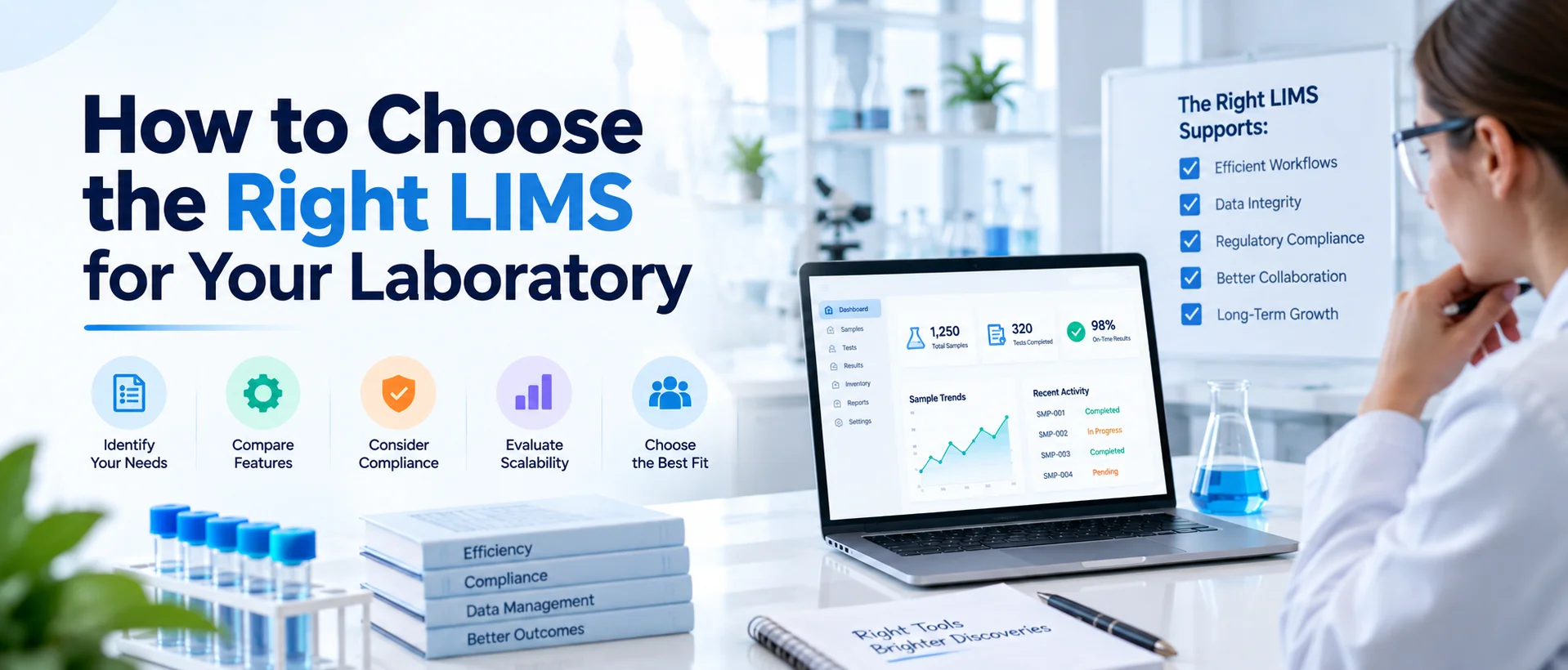
Choosing a Laboratory Information Management System is not mainly a software-shopping exercise. It is a laboratory requirements exercise.
A platform may have hundreds of features, modern dashboards, and advanced automation, but none of that matters if it cannot support the way your samples, tests, users, instruments, quality processes, and reports actually move through the laboratory.
To choose the right LIMS, first document your laboratory workflows, users, sample volume, tests, quality requirements, integrations, reporting needs, and deployment constraints.
Convert those needs into prioritized requirements, evaluate vendors against the same real-world scenarios, estimate implementation and total cost of ownership, and select the system that fits both current operations and realistic future growth.
The right LIMS should reduce operational complexity rather than simply digitize it. If your team is still establishing the fundamentals, start with what a Laboratory Information Management System is before moving into software selection.
Why Choosing a LIMS Should Start With Your Laboratory, Not a Vendor
A common mistake is to begin LIMS selection by booking demonstrations. One vendor shows dashboards. Another emphasizes automation. A third focuses on AI. Another shows instrument integrations. Every demonstration looks impressive because each vendor is presenting the areas where its platform performs well.
But without clearly defined requirements, your team has no objective way to determine whether those features solve the problems that caused you to look for a LIMS in the first place. The selection process should therefore begin internally. Ask:
What is difficult about the laboratory today?
Where does information become disconnected?
Which tasks require repeated entry?
Where do samples become difficult to track?
Which approvals create delays?
Which records are difficult to reconstruct?
Which integrations are essential?
What needs to improve after implementation?
These questions give the project a purpose. NIST's LIMS roadmap similarly treats laboratory information management as part of a wider research-data and workflow environment, emphasizing workflow management, data repositories, search and retrieval, interfaces and long-term system sustainability rather than viewing LIMS as simple sample-tracking software.
Step 1: Define Why Your Laboratory Needs a LIMS
Before discussing requirements, define the business and operational problem. Different laboratories begin the LIMS journey for different reasons. A small testing laboratory may be trying to replace spreadsheets.
A pharmaceutical QC laboratory may need stronger control over samples, specifications, results and review workflows. A contract laboratory may be struggling with growing sample volume and turnaround time.
An environmental laboratory may need better chain-of-custody visibility. A multi-site organization may want one structured environment across several facilities. Write down the main objectives before vendor evaluation begins. For example:
Current problem: Sample status is maintained across three spreadsheets. Desired outcome: Authorized staff should be able to see current sample status without reconciling multiple files.
Or:
Current problem: Analysts manually copy instrument results into the laboratory tracker. Desired outcome: Compatible instrument data should enter the appropriate testing workflow through a controlled interface.
Specific objectives make later decisions much easier.
Avoid Goals Such as “Digitalize the Laboratory”
That goal is too broad to measure. Instead, define operational outcomes. Examples include reducing duplicate data entry, improving sample traceability, making pending reviews visible, standardizing reporting or improving access to historical laboratory records. A LIMS implementation should have a clear reason to exist.
Step 2: Map Your Current Sample-to-Report Workflow
One of the most important steps in choosing a LIMS is documenting how laboratory work actually happens. Start when the sample first enters your process. Then follow it until the final report is issued and the sample reaches its final retention or disposition state.
Document activities such as: sample receipt, accessioning, labeling, test assignment, sample preparation, storage, testing, result capture, QC, technical review, approval, reporting, retention, and disposal. Do not map only the official SOP version of the process.
Talk to the people doing the work. You may discover that the documented process says one thing while employees rely on additional spreadsheets, email approvals, manual notes or shared folders to make the workflow function in practice. Those workarounds are often where the most important LIMS requirements appear.
Map Exceptions, Not Only the Ideal Workflow
A sample does not always move perfectly from receipt to report.
Ask what happens when: a sample arrives damaged, a sample is rejected, the wrong test was assigned, an instrument fails, a result needs correction, a test must be repeated, a reviewer rejects the work, a specification changes, or a report requires amendment.
The right LIMS must support legitimate laboratory exceptions without forcing personnel to create uncontrolled workarounds outside the system.
Step 3: Understand Your Sample Management Requirements
Sample tracking can look simple during a sales demonstration because every system can show a sample ID and status. Your real requirements may be much deeper.
Determine whether you need: individual sample registration, batch registration, barcodes or QR codes, aliquots, parent-child sample relationships, multiple containers, storage positions, transfers, chain of custody, retention periods, disposal records, client or project relationships, or other industry-specific information. Then evaluate the complexity of the lifecycle.
Can the same sample move through several laboratory areas?
Can aliquots follow different testing paths?
Can different sample types require different metadata?
Does one project contain hundreds of samples?
These requirements influence which LIMS architecture will actually work. LabZila's sample management software illustrates how registration, identification, testing, location and lifecycle information can remain connected within a structured laboratory record.
Step 4: Measure Your Sample Volume and Workload
Sample volume affects much more than software pricing. It influences workflow design, scalability, reporting, performance and automation requirements.
Document approximately: how many samples enter the laboratory daily, how many arrive during peak periods, how many tests are performed per sample, how many results are generated, how long samples remain active, and how much historical data needs to remain readily available.
Do not use annual averages alone. A laboratory averaging 100 samples per day may occasionally receive 500 samples in a single batch. Your system needs to handle the real workload pattern.
Complexity Matters More Than Sample Count Alone
Two laboratories processing 10,000 samples per year may need completely different systems. One may perform one standardized test per sample. The other may create aliquots, assign 20 analyses, use multiple instruments, require QC review, manage quality events and generate several report types. Therefore, sample volume and workflow complexity should be evaluated together.
Step 5: Identify Every Type of LIMS User
Do not estimate LIMS requirements based only on the number of analysts. A laboratory information system may be used by: sample-receiving personnel, analysts, technicians, reviewers, supervisors, QA staff, QC managers, laboratory directors, administrators, IT personnel, and sometimes external customers or collaborators.
Each group may need different permissions and interfaces. An analyst may need to see assigned testing, a reviewer needs records waiting for technical review, QA needs quality information, management needs operational visibility, and IT needs administrative and integration controls.
Define User Roles Before Buying Licenses
For every user type, determine: what information they need, what records they can create, what they can modify, what they can approve, and what they should only view. This helps evaluate both access-control capability and licensing requirements.
It may also reveal whether you need named users, concurrent users, occasional reviewers or external portal users. User structure can materially affect both architecture and long-term cost.
Step 6: Define Your Test, Method and Specification Requirements
A laboratory does more than track samples. The system needs to understand what must happen to those samples. Evaluate how you currently manage: tests, methods, method versions, specifications, units, calculations, test panels, acceptance limits, and result interpretation rules.
Ask whether different sample types automatically require particular tests. Determine how methods are revised. Consider whether historical results need to retain the exact method or specification context applicable at the time the work was performed. These requirements are particularly important in laboratories where testing must follow controlled procedures.
Step 7: Separate Quality Control From Broader Quality Management
Quality requirements should be defined carefully because vendors often use “quality management” as a broad label. Laboratory QC may include: control materials, standards, blanks, duplicates, configured specifications, control charts, result trends, and technical review.
A broader laboratory QMS may include: deviations, CAPA, controlled documents, training, audits, change control, and quality events. Your laboratory may need one, both or integration with an existing corporate QMS.
Do not assume that a LIMS with a few approval features provides the complete quality-management functionality your organization requires. The distinction is covered in detail in our LIMS vs QMS guide.
Define Compliance Requirements From Intended Use
Regulated laboratories should identify applicable requirements early in the selection process. Do not begin with a statement such as: “We need a compliant LIMS.”
Define what that actually means in your operating context. For example, you may need appropriate: access controls, electronic records, electronic signatures, audit histories, record retention, review workflows, or system validation activities.
FDA's Part 11 guidance recommends considering the impact computerized systems have on the accuracy, reliability, integrity, availability and authenticity of required records and using a justified, documented, risk-based approach when determining validation needs.
Software can support regulated workflows, but it does not automatically make a laboratory compliant. Your organization remains responsible for determining applicable requirements, configuration, validation, procedures, training and ongoing system use.
Step 8: Inventory Every Instrument and External System
Integration should not be treated as something to solve after purchasing the LIMS. Create an inventory of the systems that may need to exchange information.
These might include: laboratory instruments, ERP platforms, ELNs, EHR or LIS platforms, chromatography systems, billing applications, data warehouses, customer systems, or internal software.
For every integration, document: what information needs to move, where it originates, where it should go, how frequently it moves, which system owns the master record, what interface is currently available, and what happens if the connection fails.
Confirm Integrations Technically
A vendor saying “we have an API” is not enough. Ask whether the specific instrument or application has already been connected. If not, determine what interface development will be required. Ask whether middleware is needed.
Clarify data mapping, error handling, monitoring and testing responsibilities. LabZila's LIMS integration capabilities are similarly scoped around the specific instrument or external system, available protocol, data format and required workflow rather than assuming every application can connect in exactly the same way.
Step 9: Define Reporting Before You See the Dashboard
Reporting is often underestimated during LIMS selection. Laboratories need several different forms of output. Clients may need Certificates of Analysis. Analysts may need worklists. Supervisors may need pending-review reports. Quality teams may need exception summaries.
Management may need backlog, throughput and turnaround-time visibility. Finance or external systems may need structured exports. Create a list of your required reports before vendor demonstrations.
For each report, identify: who uses it, which data it contains, when it is generated, whether approval is required, whether formatting differs by client, and whether it must be exported electronically.
A system with excellent sample management but inflexible reporting may simply move your bottleneck from one part of the workflow to another.
Step 10: Determine Your Data Migration Requirements
Most laboratories are not starting with an empty system. Existing information may be stored in: spreadsheets, databases, shared folders, paper records, older LIMS platforms, or instrument systems.
Determine what needs to move into the new LIMS. Not every historical record necessarily requires full migration. Some information may be retained in an archive according to organizational and applicable record-retention requirements. Other information may be essential for ongoing operations.
Assess Data Quality Early
Migration complexity is often driven by poor data quality rather than volume. Look for: duplicate sample IDs, inconsistent customer names, obsolete methods, missing values, different date formats, uncontrolled status terms, and duplicated reference data.
A new LIMS will not automatically correct those problems. Migrating inconsistent information without cleaning it can simply move the old disorder into the new system.
Step 11: Choose the Right Deployment Model
Laboratories should also decide how the system will be delivered and hosted. Potential models include cloud, SaaS, web-based and organization-managed deployments. A small laboratory with limited IT resources may prefer a provider-managed SaaS environment.
A larger organization may have internal infrastructure, cybersecurity or data-governance requirements that lead to a different architecture. Our guide to the types of Laboratory Information Management Systems explains these deployment models in more detail.
During selection, clarify: who maintains infrastructure, how backups work, how updates are delivered, how users authenticate, what availability commitments exist, where data is hosted, how disaster recovery is handled, and what your internal IT team must manage.
Do not assume cloud is automatically better or on-premises automatically safer. The correct model depends on your technical and organizational requirements.
Step 12: Decide How Much Configuration You Need
Every laboratory has differences. The question is how the LIMS accommodates them. A configurable system allows authorized administrators or implementation teams to adapt fields, workflows, statuses, permissions and rules using supported platform capabilities.
A heavily customized implementation may involve special software development. Custom development is sometimes justified, but it usually creates additional testing, maintenance and upgrade considerations.
Before selecting a system, ask: Which requirements are standard, which require configuration, which require integration, and which require custom code? These four categories should be clearly separated. If ordinary laboratory requirements repeatedly require custom development, long-term ownership may become more difficult.
Step 13: Evaluate Security and Access Controls
Laboratory systems can contain sensitive operational, analytical, commercial and sometimes clinical information. Security therefore belongs in the selection process.
Evaluate areas such as: authentication, role-based permissions, user administration, encryption, backup and recovery, activity records, data export, incident procedures, session controls, and hosting architecture.
But avoid selecting software from a checklist of security buzzwords. Ask how each control actually works. For example:
Can administrators restrict who can approve results?
Can user access be changed promptly?
Can former employees be disabled?
Can sensitive records be separated between departments or clients?
Can important activities be traced?
Security should be evaluated in the context of actual laboratory data and user roles.
Step 14: Evaluate Usability With the People Who Will Use the LIMS
A technically powerful system can still fail operationally if daily users find it unnecessarily difficult. Include analysts, technicians, reviewers and supervisors in demonstrations. Give them realistic tasks.
Ask them to: find an assigned sample, enter a result, locate a method, check sample history, return a result for correction, or find work waiting for review. Watch how many steps are required. Then ask users what felt confusing.
Usability affects training, adoption and the likelihood that teams create spreadsheets or unofficial workarounds outside the LIMS. The right system should make controlled processes easier to follow.
Step 15: Consider Future Growth Without Overbuying
Your laboratory may look different three years from now. You may add: more users, higher sample volume, new test methods, new instruments, additional locations, new quality workflows, or different client requirements.
The system should accommodate realistic growth. But do not purchase every enterprise capability available simply because you might need it one day. Ask vendors how the platform scales.
Can additional users be added?
Can new workflows be configured?
What happens when storage increases?
Can another site be added?
Can different laboratories operate with controlled differences?
What additional costs appear as the organization grows?
The best LIMS should support future development without forcing the laboratory to pay for unnecessary complexity today.
Step 16: Define Your Budget Using Total Cost of Ownership
The software subscription is only one part of the financial decision. A complete budget may include: software, implementation, configuration, migration, integrations, validation, training, support, infrastructure, storage, internal project time, and future administration.
Our guide on how much a LIMS costs explains these cost categories in more detail. When comparing vendors, use the same time period for each. A three- or five-year view is generally much more informative than comparing initial subscription prices.
A lower-priced product can become expensive if extensive custom development or professional services are required. A more expensive subscription may include hosting or services that another vendor charges separately. Compare total ownership not individual line items in isolation.
Step 17: Convert Your Findings Into LIMS Requirements
Once workflow discovery is complete, convert the information into documented requirements. Each requirement should be specific enough to evaluate.
Poor requirement: “The system should have good sample tracking.” & Better requirement: “Authorized users must be able to identify the current status and storage location of an active sample from its unique laboratory ID.”
Poor requirement: “Must integrate with instruments.” & Better requirement: “The system must support the required transfer of approved result data from Instrument X using the available interface, with the result associated with the correct sample and test record.”
Specific requirements make demonstrations and proposals much easier to evaluate.
Classify Requirements by Priority
A practical structure is:
Must Have
Failure means the system cannot support an essential requirement.
Important
Strongly preferred, but a controlled alternative could be considered.
Nice to Have
Useful but should not determine the selection.
This protects the project from being distracted by impressive features that do not solve important laboratory problems.
Step 18: Create a Weighted Evaluation Scorecard
Not every requirement carries the same importance. Create a scoring model before the final vendor demonstrations. For example:
| Area | Example Weight |
|---|---|
| Workflow fit | 20% |
| Sample & test management | 15% |
| Quality requirements | 12% |
| Integrations | 12% |
| Reporting & data access | 10% |
| User experience | 8% |
| Configuration flexibility | 7% |
| Security & deployment | 6% |
| Implementation & support | 5% |
| Total cost of ownership | 5% |
The weights should reflect your laboratory. A clinical laboratory might increase interoperability. An environmental laboratory might increase chain-of-custody requirements.
A pharmaceutical QC laboratory may increase quality and validation considerations. A small laboratory might give usability, implementation effort and cost more weight. The exact percentages matter less than agreeing on them before the final decision.
Step 19: Build a Shortlist
Once mandatory requirements are documented, screen the market. Remove systems that clearly fail essential needs. The remaining platforms become the serious shortlist.
Our Best LIMS Software evaluation guide explains how to compare shortlisted systems using consistent evaluation criteria rather than assuming one vendor is universally “best.”
Avoid spending weeks evaluating a product that already fails an essential requirement. A smaller group of genuinely viable platforms produces a much more useful procurement process than a long list of loosely relevant products.
Step 20: Make Every Vendor Demonstrate the Same Scenario
Once you have shortlisted vendors, standardize the demonstration. Do not allow one supplier to demonstrate dashboards while another focuses on sample tracking. Give each vendor the same laboratory scenario.
For example: Receive a sample → register it → create an aliquot → assign tests → enter or transfer a result → flag an exception → send the work to review → return one result for correction → approve the completed work → generate a final report.
Then evaluate what happened.
Could the vendor complete the entire workflow?
Which parts were standard?
Which required configuration?
Did anything require custom development?
Was the workflow understandable to laboratory users?
How was the exception handled?
What history was maintained?
Standard demonstrations make platform differences much easier to identify.
Step 21: Ask for Evidence Behind Vendor Claims
Do not accept vague statements when a requirement is important.
If a vendor says: “We integrate with everything,” ask for the actual interface approach.
If they say: “The system is configurable,” ask them to configure one of your workflows.
If they say: “Data can always be exported,” ask what records and formats are included.
If they say: “We support compliance,” ask which technical controls are available and which responsibilities remain with your laboratory.
If they say: “Implementation is easy,” ask for the actual implementation scope and responsibilities.
Clear evidence reduces risk.
Step 22: Evaluate Implementation Before Signing the Contract
Implementation capability should influence the product decision. Understand how the vendor handles: requirements assessment, configuration, migration, integrations, testing, training, deployment, and post-launch support.
Ask who will lead your implementation. Determine what your own staff must provide. Clarify project milestones. Understand how scope changes are managed.
LabZila's own implementation planning, for example, considers workflow complexity, users, migration, integrations, training and validation requirements before defining a realistic deployment plan.
That type of scoping should happen before the project begins, not after the software agreement has already been signed.
Step 23: Check Data Ownership and Exit Options
The selection process should also consider the end of the relationship. Your laboratory may eventually move to another system. Ask:
Who owns the data?
How can we export it?
Which formats are available?
Are attachments included?
Can historical results and quality records be extracted?
What happens after contract termination?
How long does the vendor retain information?
Are additional charges required for export?
These questions can feel premature during procurement. They become extremely important later. A LIMS should not become permanent solely because retrieving your own laboratory information is too difficult.
Step 24: Involve the Right People in the Final Decision
Choosing LIMS software should not belong exclusively to IT, QA or laboratory management. Each group sees a different part of the system.
Laboratory operations understands daily workflows.
Analysts and technicians understand usability.
QA/QC understands quality and controlled processes.
IT understands infrastructure, cybersecurity and integrations.
Finance and procurement understand commercial risk and total cost.
Laboratory leadership understands strategic priorities and future growth.
A cross-functional decision helps prevent one area from dominating the selection. A platform that IT likes but analysts cannot use effectively creates problems. So does a system that operations likes but cannot integrate with critical enterprise infrastructure.
A Practical LIMS Selection Framework
The complete process can be summarized like this:
| Stage | Main Question |
|---|---|
| Define the problem | Why are we replacing or introducing a system? |
| Map workflows | How does laboratory work actually happen? |
| Define samples | What sample lifecycle must be controlled? |
| Measure volume | How much work must the platform support? |
| Define users | Who needs to do what? |
| Define tests | How are methods, specifications and results managed? |
| Define quality | Which QC/QMS and regulatory requirements apply? |
| Define integrations | Which instruments and systems must connect? |
| Define reporting | What information needs to leave the LIMS? |
| Define migration | Which historical records must move? |
| Select deployment | Who should host and manage the environment? |
| Define requirements | What is mandatory versus optional? |
| Build shortlist | Which systems genuinely fit? |
| Demonstrate | Can each vendor perform the same real workflow? |
| Compare cost | What is the total cost of ownership? |
| Review implementation | Can the system realistically be deployed? |
| Select | Which option provides the strongest overall fit? |
This framework prevents the selection from becoming a feature-count competition.
Common Mistakes When Choosing a LIMS
One of the biggest mistakes is choosing software before documenting requirements. Another is assuming every laboratory in the same industry works the same way. A third is letting a vendor's standard demonstration define what your laboratory should care about.
Other common problems include ignoring integrations until implementation, underestimating migration, selecting purely on price, overlooking user experience, accepting vague compliance claims and purchasing too much functionality at the beginning.
Most of these mistakes come from the same root problem: the laboratory selected a product before understanding its own requirements.
How Do You Know You Have Chosen the Right LIMS?
You should be able to explain the decision clearly. Not: “It had the most features.” Not: “It was ranked number one online.” Not: “It had the nicest dashboard.” A better justification sounds like this:
The selected system supports our critical sample workflows, required user roles, testing processes, quality requirements, priority integrations and reporting needs. It can scale to our expected volume, can be implemented within our technical environment and provides acceptable total cost and implementation risk.
That is a defensible LIMS selection.
Where Does LabZila Fit?
LabZila should be evaluated using exactly the same framework. The platform is designed to connect laboratory samples, testing, quality records, equipment, workflows and reporting through configurable LIMS capabilities.
Its suitability still depends on your specific workflows, users, sample volume, integrations and implementation requirements. You can review LabZila's LIMS software features alongside your requirements matrix rather than assuming any platform is automatically the right choice.
For example, ask whether LabZila can support: your sample lifecycle, required methods and testing, review stages, quality processes, instrument environment, reporting structure, deployment needs, and expected growth. Then ask the same questions of every other shortlisted vendor. That produces a stronger purchasing decision than starting with brand preference.
Final Thoughts
Learning how to choose a LIMS is less about discovering the longest list of software features and more about understanding your own laboratory. Start with workflows. Define your samples, tests, users, quality requirements, integrations and reports.
Measure current volume and realistic growth. Decide what must be migrated. Determine your infrastructure and security requirements. Convert those findings into prioritized requirements. Then make each shortlisted vendor prove that its system can support them.
Finally, evaluate implementation effort, total cost and long-term ownership before making the decision. The right LIMS is not necessarily the biggest, cheapest or most widely known platform.
It is the system that can support your laboratory's critical work without introducing unnecessary complexity. If your team has mapped its requirements and wants to evaluate whether LabZila fits them, contact LabZila for a workflow-based discussion and demonstration.
=================================================================