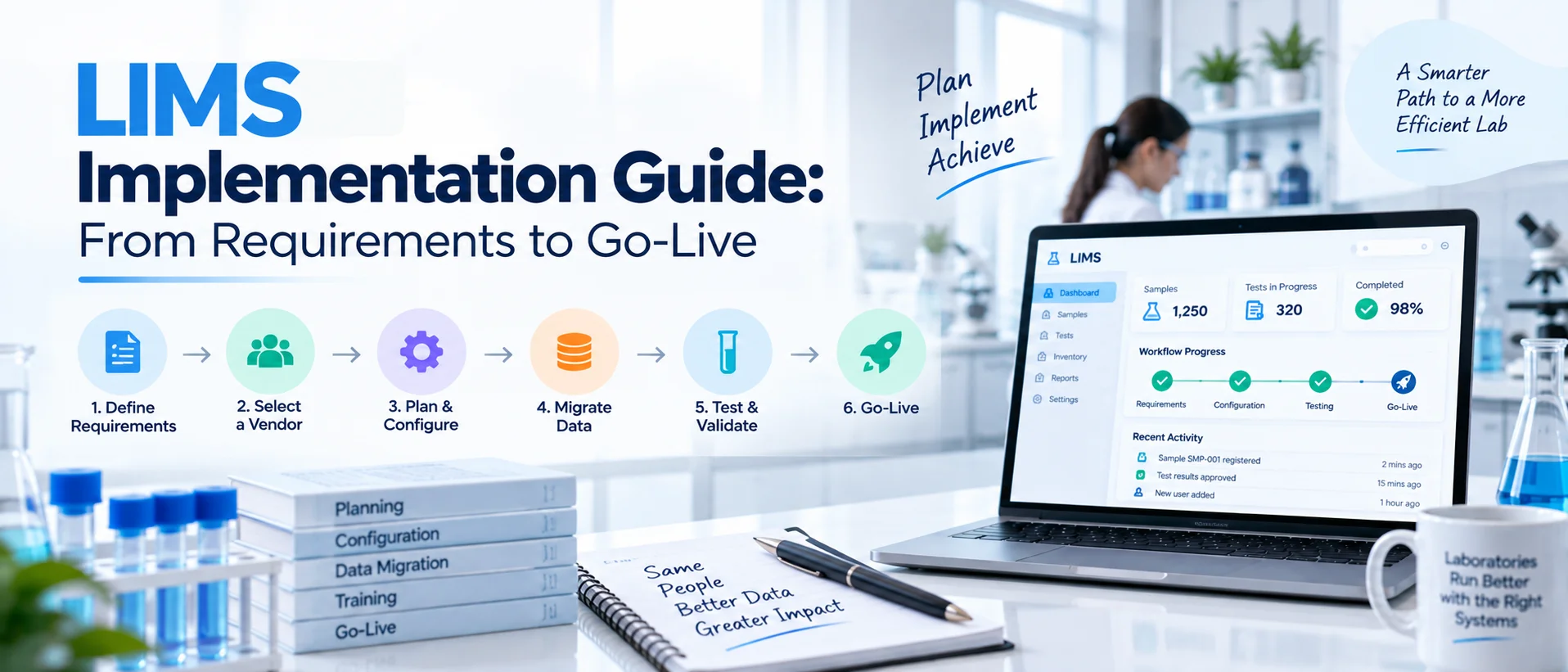
Buying a LIMS is only the beginning. The real value comes from turning the selected software into a working laboratory system that reflects your samples, tests, methods, users, instruments, quality processes and reporting requirements. That requires much more than installing software and creating user accounts.
A successful LIMS implementation typically moves through requirements definition, process design, configuration, data preparation and migration, integrations, user and security setup, testing, applicable validation, training, cutover, go-live and post-launch governance.
The exact implementation should be scaled to the laboratory’s complexity, risk, regulatory environment and intended use rather than following one rigid template.
The strongest implementations keep laboratory personnel involved throughout the project instead of treating LIMS as an IT-only deployment. NIST’s LIMS roadmap similarly emphasizes involvement of subject-matter experts and ongoing coordination between laboratory workflows, data infrastructure and users.
If your laboratory has not yet selected a platform, complete the LIMS selection process before moving into implementation planning.
What Is LIMS Implementation?
LIMS implementation is the process of converting laboratory and business requirements into a configured, tested and operational Laboratory Information Management System. It includes both technical and organizational work.
The technical side may involve configuration, data structures, integrations, security, migration and deployment. The operational side includes process decisions, user responsibilities, SOP changes, training, testing, acceptance and ongoing governance.
A laboratory can therefore purchase technically capable software and still have an unsuccessful implementation if its workflows are poorly defined or users are not prepared to operate the new system. Implementation is where the product and the laboratory actually meet.
LIMS Implementation at a Glance
A practical implementation can be organized into the following stages:
| Phase | Main Objective |
|---|---|
| 1. Project initiation | Define objectives, scope, ownership and governance |
| 2. Requirements | Document what the LIMS must support |
| 3. Workflow design | Define future laboratory processes |
| 4. Configuration | Build approved workflows and system structures |
| 5. Data preparation | Clean and standardize data |
| 6. Data migration | Transfer required legacy information |
| 7. Integrations | Connect instruments and external systems |
| 8. Security and users | Configure roles, permissions and access |
| 9. Testing | Verify workflows and technical behavior |
| 10. Validation | Establish documented assurance where applicable |
| 11. Training | Prepare users and administrators |
| 12. Cutover | Move from current systems to production |
| 13. Go-live | Begin controlled production use |
| 14. Post-launch governance | Support, monitor and improve the system |
Not every laboratory will require the same amount of work in every phase. A small laboratory replacing a few spreadsheets has a different implementation profile from a multi-site pharmaceutical organization integrating dozens of instruments.
Phase 1: Define Why the LIMS Project Exists
Before configuring anything, establish the purpose of the implementation. What business or laboratory problems are you trying to solve?
Examples may include: multiple sample-tracking spreadsheets, manual result transcription, limited visibility into work status, slow review routing, disconnected instruments, inconsistent reporting, difficult historical searches, or fragmented quality records. Try to connect every major project objective to an observable outcome.
Instead of: “Modernize the laboratory.” Use: “Provide one controlled view of active sample status across receiving, testing and review.”
Instead of: “Automate more work.” Use: “Reduce manual handoffs between completed testing and technical review.”
Clear objectives make scope decisions easier later.
Establish Project Scope Early
Define what is included in the first implementation. For example:
Which laboratory locations?
Which departments?
Which sample types?
Which tests?
Which instruments?
Which reports?
Which historical data?
Which quality processes?
Trying to implement every possible workflow at once can make the initial project unnecessarily difficult. A phased implementation may be more practical when a laboratory has many departments or specialized processes.
Phase 2: Create the LIMS Implementation Team
LIMS implementation should be cross-functional. A project managed entirely by IT may miss important laboratory requirements.
A project controlled entirely by laboratory users may overlook architecture, integration or security issues. The implementation team typically needs representation from several areas.
| Role | Main Contribution |
|---|---|
| Executive/project sponsor | Authority, resources and major decisions |
| Project manager | Schedule, scope, risks and coordination |
| Laboratory SMEs | Actual sample and testing workflows |
| QA/QC | Quality requirements and controlled processes |
| IT | Infrastructure, security, identities and integrations |
| LIMS administrator | Configuration and future ownership |
| Data owners | Migration and master-data decisions |
| End users | Usability and workflow testing |
| Vendor/implementation team | Product configuration and technical delivery |
For regulated implementations, validation or quality personnel should be involved early rather than being asked to review a finished system immediately before launch.
Define Decision Authority
Projects slow down when nobody knows who can approve a configuration decision. Define who owns decisions about: sample structures, methods, specifications, quality workflows, security, data migration, report templates, integrations, and go-live approval. This avoids situations where several departments provide conflicting instructions to the implementation team.
Phase 3: Finalize LIMS Requirements
Implementation should begin from documented requirements rather than a collection of meeting notes.
Your requirements should cover areas such as: sample management, tests and methods, results, workflows, quality, users, reports, instruments, external systems, security, migration, deployment, and operational support.
Use the LIMS requirements checklist to document these needs before configuration begins. Every important requirement should be clear enough that the team can later determine whether it has been satisfied. For example:
- Weak requirement: “Need good sample tracking.”
- Better requirement: “Authorized users must be able to identify the current status and configured storage location of an active sample from its laboratory identifier.”
The second statement gives the configuration and testing teams something concrete to work from.
Freeze the Baseline, Not Future Improvement
Requirements will evolve. The goal is not to pretend nothing will change. The goal is to establish an approved baseline so changes can be identified and assessed rather than quietly introduced into the project. If a new requirement appears after configuration begins, ask:
Is it mandatory for go-live?
Does it affect other workflows?
Does it change migration?
Does it affect testing?
Does it require additional integration?
Does it change the schedule or cost?
Controlled scope management protects the project.
Phase 4: Map the Current and Future Laboratory Workflows
A LIMS project should not simply copy every current spreadsheet and paper form into software. First understand the existing process. Then decide what the future process should be. Map a sample from receipt through final disposition.
A typical workflow could include: sample receipt → accessioning → test assignment → preparation → analysis → result entry → technical review → approval → reporting → retention/disposal. But the exact sequence varies by laboratory.
Document Exceptions Too
Implementation teams often design the perfect workflow while forgetting what happens when something goes wrong. Define cases such as:
sample rejection, incorrect registration, insufficient sample quantity, instrument failure, repeat testing, result correction, failed QC, review rejection, report amendment, and quality-event escalation.
These exception paths often expose the most important configuration requirements. If users cannot handle legitimate exceptions inside the system, they will eventually build workarounds outside it.
Phase 5: Design the Future-State LIMS Workflow
Once the current process is understood, design how it should operate in the LIMS. This is where the implementation team decides: which data is captured, which steps are required, which steps can be automated, who owns each activity, which approvals apply, and what happens when the workflow deviates from the expected path.
The goal is not maximum automation. The goal is appropriate automation. Routine actions such as assignments, notifications and status transitions may be suitable for automation.
Scientific interpretation, technical judgment and quality decisions should remain with qualified personnel where human review is required. LabZila's laboratory workflow automation capabilities illustrate how routing, assignments, notifications and review stages can be configured while retaining technical oversight.
Phase 6: Configure the LIMS
Configuration translates requirements and future-state workflows into the system.
Depending on the LIMS, configuration may include: sample types, fields, numbering rules, tests, methods, specifications, units, statuses, roles, permissions, work queues, notifications, approval routes, reports, and quality workflows.
Configuration should remain traceable to approved requirements where practical. If Requirement WF-07 states that completed microbiology results need technical review before reporting, the corresponding configured workflow should clearly satisfy that need.
Avoid Unnecessary Custom Code
A critical implementation distinction is the difference between configuration and customization.
- Configuration adapts capabilities already supported by the LIMS.
- Customization may involve developing software specifically for your organization.
Custom development can be appropriate for genuine specialist requirements, but it can also increase testing, maintenance and upgrade complexity. Before authorizing custom work, ask whether the requirement can instead be satisfied using supported configuration.
Phase 7: Configure Sample and Test Structures Carefully
Sample structure is foundational. Mistakes made here can affect testing, reports, integrations and historical data. Decide how the LIMS will represent: samples, batches, lots, projects, clients, aliquots, containers, locations, tests, methods, and specifications.
Avoid simply recreating spreadsheet columns without considering relationships between records. A structured sample model should make it possible to understand what the sample is, where it is, what work applies to it and what happened throughout its lifecycle.
LabZila's sample management software is organized around maintaining those relationships from sample registration through testing, storage and final disposition.
Phase 8: Prepare Master Data
Not all implementation data comes from historical sample records. The LIMS also needs reference or master data. This may include: test catalogs, methods, specifications, units, sample types, customers, projects, products, instruments, storage locations, users, roles, and report definitions. Master data should be reviewed before import.
If your old systems contain: three names for the same method, duplicate customer records, obsolete test codes, inconsistent units, or retired products, do not automatically transfer them into the new environment. A new LIMS should not become a cleaner-looking version of the same data problems.
Phase 9: Plan Data Migration
Data migration is one of the most underestimated parts of LIMS implementation. First decide which data actually needs to move. Separate it into categories such as: active records required for current work, historical records required inside the LIMS, historical information that can remain in a controlled archive, and obsolete records that should not be migrated. Then define how each data element maps into the new structure.
Data Migration Usually Includes Several Steps
A practical migration sequence is: Extract → Profile → Clean → Map → Transform → Load → Reconcile → Approve
- Extract
Retrieve the data from spreadsheets, legacy databases or other systems.
- Profile
Understand what is actually there. Identify duplicates, missing values and inconsistent formats.
- Clean
Resolve issues before import where appropriate.
- Map
Define where every source field belongs in the LIMS.
- Transform
Convert formats or terminology where required.
- Load
Import the approved dataset.
- Reconcile
Verify that expected records were transferred correctly.
- Approve
Formally accept the migrated data according to the project's governance or quality process.
Never Assume Every Historical Record Must Be Migrated
Moving everything can increase time, cost and complexity without providing operational value. The laboratory should determine migration scope based on current use, retention requirements, accessibility needs and applicable obligations.
Phase 10: Build Instrument and System Integrations
Integration work should run early enough that technical problems do not appear immediately before go-live.
Typical LIMS integrations may include: laboratory instruments, ERP systems, ELNs, LIS/EHR systems, chromatography systems, customer applications, data warehouses, and other internal software.
For each interface, define: source, destination, data fields, direction, frequency, system of record, error handling, security, monitoring, and recovery behavior.
The LabZila integrations framework uses technical discovery to assess compatible instruments and systems, available APIs or interfaces, structured formats and required data mappings before controlled deployment.
Test More Than the Successful Transfer
A good integration test should not ask only: “Did the result arrive?”
Also test:
- What if the sample ID does not exist?
- What if the instrument sends an invalid unit?
- What if a required field is missing?
- What if the network is unavailable?
- What if the same result is sent twice?
- How is a failed transaction identified?
- Who resolves it?
- How is the resolution documented?
Error handling is part of integration design.
Phase 11: Configure Security, Users and Roles
Do not wait until the week before go-live to decide who can access what. Create a role model early. Define what each group can: view, create, edit, review, approve, export, configure, or administer.
Follow the principle that users should receive the access appropriate to their responsibilities. Pay particular attention to powerful roles such as: system administrators, master-data administrators, quality approvers, report approvers, and integration service accounts.
Build a User Provisioning Process
The project should also establish how accounts will be: requested, approved, created, changed, reviewed, and deactivated. A technically strong permission model loses value if access is not administered consistently after go-live.
Phase 12: Test the Configured LIMS
Testing should demonstrate that the configured system works for the laboratory's intended workflows. Do not test isolated screens only. Test real end-to-end scenarios. For example: receive sample → register sample → generate label → assign tests → record result → route to review → correct a rejected result → approve → generate report. Then test exceptions.
Types of Testing May Include
- Configuration testing verifies that configured rules behave as intended.
- Workflow testing checks complete laboratory scenarios.
- Integration testing verifies data exchange between systems.
- Migration testing confirms migrated information appears correctly.
- Security testing verifies role and access behavior.
- Report testing checks content, calculations and formatting.
- User acceptance testing (UAT) allows representative users to confirm that the system supports actual operational needs.
The precise testing approach should be scaled to risk and intended use.
Phase 13: Perform Validation or Software Assurance Where Applicable
Validation requirements depend on the laboratory's industry, intended use, applicable regulations and internal procedures. A LIMS should never be presented as automatically “validated” merely because a vendor has tested the software.
The laboratory's configured environment, workflows, interfaces and intended use matter. For FDA-regulated electronic records, FDA recommends using a justified and documented risk-based approach and considering the system's effect on the accuracy, reliability, integrity, availability and authenticity of required records and signatures.
Depending on the applicable framework and internal quality system, implementation documentation may include: requirements, risk assessments, configuration documentation, test protocols, test evidence, deviations, traceability, approvals, and release records.
The important distinction is: Software can provide controls and documentation that support validation activities. The laboratory remains responsible for determining what validation is required and demonstrating that its implemented system is fit for intended use.
Phase 14: Conduct User Acceptance Testing
UAT is where representative laboratory users test the system from their operational perspective. Do not use only the project team. Include people who will perform normal work after launch. Ask them to complete realistic activities without the implementation consultant guiding every click.
For example: register an unusual sample, find assigned work, enter a result, locate a historical record, return work for correction, generate an approved report. Observe where users hesitate.
A technically correct system can still have workflow problems that become obvious only when normal users interact with it. Resolve important findings before production deployment.
Phase 15: Prepare SOPs and Laboratory Procedures
Introducing a LIMS often changes the way work is performed. Existing procedures may need revision. For example:
How are samples accessioned?
How are corrections made?
How are results reviewed?
How are accounts requested?
How are instrument-interface failures handled?
How are reports reissued?
How are system changes approved?
How does the laboratory operate during downtime?
The software configuration and the approved procedures should tell the same operational story. If the LIMS requires one process while the SOP requires another, users are placed in an impossible position.
Phase 16: Train Users Before Go-Live
Training should be role-specific. A sample-receiving employee does not need the same training as a LIMS administrator. An analyst does not need the same training as QA. Plan separate learning paths where appropriate.
End users may need training on:
logging in, work queues, sample records, results, search, reviews, exceptions, and required procedures.
Reviewers may need:
review queues, record histories, comments, corrections, and approval workflows.
Administrators may need:
users, permissions, reference data, configuration, reports, and support escalation.
Training should focus on how to perform the job in the new workflow, not just where buttons are located.
Train Close Enough to Go-Live
Training months before deployment may be forgotten. Training a day before launch may not leave enough time for users to practice. Provide training at an appropriate point in the project and consider a practice or test environment where users can work through common scenarios.
Phase 17: Create the Cutover Plan
Cutover is the controlled transition from the old process to the production LIMS. This phase deserves a documented plan. Decide:
When will the final legacy data be extracted?
When will active records be migrated?
When will production access open?
When will spreadsheets become read-only?
Which system is the official record during transition?
How will unfinished samples be handled?
Who confirms migration success?
Who authorizes production use?
What happens if go-live must be delayed?
Do not allow old and new systems to remain indefinitely active without clear ownership. That creates two competing sources of truth.
Phase 18: Complete a Go-Live Readiness Review
Before production launch, confirm that the implementation is genuinely ready. A useful readiness review should consider the following areas.
| Area | Key Readiness Question |
|---|---|
| Requirements | Have critical requirements been addressed? |
| Configuration | Is the approved production configuration ready? |
| Testing | Have critical workflows passed testing? |
| Integrations | Are required interfaces operational? |
| Migration | Has required production data been reconciled? |
| Users | Are accounts and permissions approved? |
| Training | Have required users been trained? |
| Procedures | Are relevant SOPs/processes effective? |
| Validation | Are applicable assurance/validation activities complete? |
| Reports | Are required report templates approved? |
| Support | Is launch support available? |
| Continuity | Is the downtime/recovery approach understood? |
| Approval | Has the appropriate authority approved go-live? |
Do not launch because the calendar says the project should be finished. Launch because defined readiness criteria have been satisfied.
Phase 19: Go Live
Go-live is the point when the laboratory starts using the LIMS for production work. Expect the first days to require additional support. Users will ask questions they did not encounter during training. Small configuration issues may appear.
Master data may need correction. Reports may require minor adjustments. The goal is not to pretend that no issue will occur. The goal is to have a controlled mechanism for identifying, prioritizing and resolving issues.
Establish Hypercare
Many projects use a short period of enhanced post-launch support, often called hypercare. During this period: issues are reviewed frequently, critical problems are escalated quickly, users have clear support channels, configuration questions are addressed, and project personnel remain available. The duration should depend on the project's complexity and launch risk.
Phase 20: Do Not End the Project at Go-Live
A LIMS is an operational system, not a project artifact. Once the implementation team leaves, someone must own it.
Post-launch governance should define: who approves configuration changes, who manages user access, who maintains master data, who reviews integrations, who coordinates vendor updates, who monitors system issues, who owns validation impact assessments where required, and who prioritizes future improvements. Without governance, a well-designed LIMS can gradually become inconsistent.
Build a Formal Change-Control Process
Laboratory needs will change. A new test method appears. A customer requires a different report. Another instrument is purchased. A new department wants to use the system. Do not make uncontrolled production changes simply because configuration is technically easy.
Define a change process appropriate to the laboratory. A typical change may involve: request → impact assessment → approval → configuration → testing → documentation → release. The amount of rigor should match the significance and risk of the change.
Monitor the LIMS After Launch
Implementation success should be measured after go-live. Useful operational indicators may include: sample backlog, turnaround time, pending reviews, report completion, manual corrections, integration failures, support requests, user adoption, and workflow exceptions.
Do not automatically assume that every positive or negative change was caused by the LIMS. Use trends to identify where workflows or training may require improvement.
A Practical Example: Moving From Spreadsheets to LIMS
Consider a growing contract testing laboratory. Samples are currently registered in Excel. Analysts maintain separate testing sheets. Reports are created manually. Management has difficulty seeing which work is waiting for review.
A sensible implementation might begin by standardizing: sample identifiers, customer records, test definitions, status values, and analyst roles. The team then configures sample registration, testing and review.
Current customer and active sample information is cleaned and migrated. A priority instrument is integrated. Users test realistic sample workflows. Reports are reviewed and approved. Training is completed.
The lab then chooses a defined cutover date, after which the old active tracking spreadsheet becomes read-only. Additional instruments and more advanced quality workflows can be introduced later. This phased approach can be more manageable than attempting to rebuild every historical process during the initial implementation.
Common LIMS Implementation Mistakes
- Implementing the Existing Process Without Question
A new system should not automatically reproduce every spreadsheet workaround. Understand why each step exists before rebuilding it.
- Allowing Scope to Expand Continuously
Every new idea should not become a go-live requirement. Use controlled prioritization.
- Leaving Data Migration Until the End
Poor legacy data can become a major schedule risk. Assess it early.
- Discovering Integration Problems Late
Test critical instruments and systems early enough to address technical issues.
- Involving Users Only During Training
Users should contribute during requirements, workflow design and testing.
- Automating Scientific Judgment
Automation should support routine process execution, not replace qualified decisions that require human judgment.
- Assuming the Vendor Owns Validation
The vendor can provide software, documentation and implementation support, but the laboratory retains responsibility for applicable validation and its intended use.
- Treating Go-Live as Project Completion
Without post-launch ownership and governance, the system will degrade over time.
What Determines How Long LIMS Implementation Takes?
There is no universal implementation duration.
The timeline depends on factors such as: number of users, number of sites, workflow complexity, configuration scope, historical data, data quality, number and complexity of integrations, reporting, custom development, validation requirements, availability of laboratory SMEs, and decision speed.
A relatively focused implementation with limited migration and integrations may move much faster than a multi-site regulated deployment. A vendor should therefore estimate timing after understanding the scope, not promise a universal implementation period before discovery.
How Can You Reduce LIMS Implementation Risk?
The most effective risk reduction usually happens before configuration becomes complex. Define scope. Document requirements. Assign real process owners. Clean data early. Confirm integrations early. Use realistic test scenarios.
Train users. Define go-live criteria. Establish post-launch governance. Most implementation problems are not caused by a single technical defect. They come from unresolved requirements, unclear ownership or decisions made too late.
Where Does LabZila Fit Into LIMS Implementation?
LabZila's implementation approach can include requirements assessment, workflow configuration, data-migration planning, integration setup, testing, user training, deployment planning and post-launch assistance according to the agreed implementation scope.
The implementation should still be based on the laboratory's actual requirements rather than forcing every organization into one standard workflow.
That means defining: samples, testing, methods, quality processes, users, reports, integrations, deployment, and applicable validation needs before the production environment is finalized.
The objective is to configure the LIMS around laboratory operations while keeping the laboratory responsible for its approved procedures, scientific decisions, user governance and applicable regulatory obligations.
Final Thoughts
A successful LIMS implementation does not begin with configuration and does not end at go-live. It begins with understanding what the laboratory needs the system to control. Those needs become requirements.
Requirements become workflows and configuration. Clean data is migrated. Instruments and systems are connected. The configuration is tested. Applicable validation or assurance activities are completed.
Users are trained. The laboratory transitions through a controlled cutover. Then governance keeps the system reliable as workflows evolve. The most important implementation principle is simple: Treat the LIMS as an operational laboratory system, not just a software installation.
When laboratories combine strong requirements, real user involvement, controlled data, realistic testing and clear post-launch ownership, they are far better positioned to turn a purchased LIMS into a dependable part of daily laboratory operations.
If your laboratory is planning implementation and wants to discuss configuration, migration, integrations, deployment and training requirements, contact LabZila for an implementation-focused LIMS discussion.
======================================================