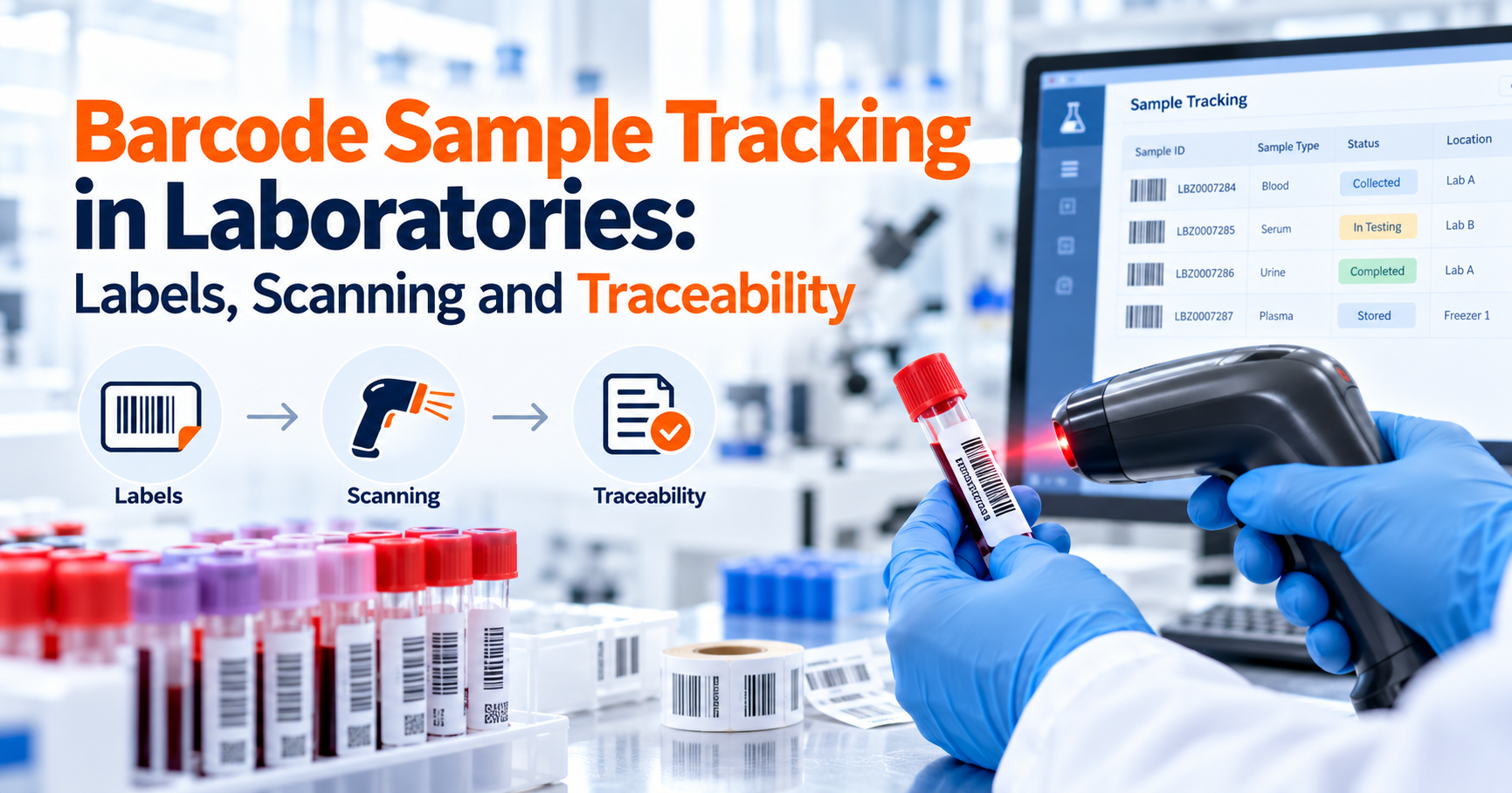
A barcode on a laboratory tube may contain only a small amount of information, but when it is connected to the right digital workflow, it can become the link between the physical sample and everything the laboratory knows about it.
Barcode sample tracking software allows laboratories to identify physical samples using machine-readable labels and connect each scan with the correct digital sample record. Instead of repeatedly typing sample IDs into spreadsheets or searching through paper logs, laboratory personnel can scan a barcode or QR code to retrieve the sample, confirm its identity, update its status or location, document a transfer, or perform another configured workflow action.
The barcode itself is not the tracking system. It is the machine-readable identifier that connects the physical container with the laboratory's sample management system.
That distinction matters.
A laboratory can print excellent barcodes and still have poor traceability if scanning does not update sample status, location, custody or testing information. Effective barcode tracking therefore depends on three elements working together: a reliable sample identifier, a readable physical label, and a digital system that knows what should happen when that identifier is scanned.
For laboratories moving away from manual sample logs, barcode tracking is often one of the most practical steps toward a more controlled digital workflow.
What Is Barcode Sample Tracking in a Laboratory?
Barcode sample tracking is the use of machine-readable codes to identify laboratory samples and connect physical sample handling with electronic records.
When a sample is registered, the laboratory creates or assigns a unique sample identifier. A barcode, Data Matrix code, QR code or another supported machine-readable symbol can represent that identifier on the sample label.
When laboratory personnel scan the label, the system retrieves the corresponding electronic record.
Depending on the workflow, that record may show the sample's identity, current location, required testing, status, storage information, aliquots, custody history, results or pending activities.
The LabZila sample management software is built around this connected model. Samples can be registered with unique identifiers and barcode or QR-code labels, then tracked through testing, transfers, storage, review, retention and final disposition.
Barcode tracking therefore works best as part of a complete sample-management process rather than as a standalone labeling tool.
What Software Can Replace Spreadsheet-Based Sample Logging With Barcode Accessioning and Real-Time Status Tracking?
A Laboratory Information Management System is generally the appropriate type of software when a laboratory needs to move beyond spreadsheet-based sample logging and connect barcode accessioning with status, location, testing and workflow records.
A spreadsheet can store a sample ID and status, but it does not naturally connect a physical scan with the full sample lifecycle.
A LIMS can create a structured sample record during accessioning, assign or capture a unique identifier, generate a barcode or QR-code label, and then use that identifier as the sample moves through laboratory operations.
When the barcode is scanned later, the system can retrieve the existing record rather than creating another disconnected entry.
For example, a laboratory could register Sample LAB-2026-00481, print its label, attach it to the correct container and then scan it when the sample moves into preparation.
A later scan could confirm that the same sample entered refrigerated storage. Another scan could retrieve it when an analyst begins testing.
The important advantage is not simply faster typing. It is maintaining one sample identity across all those events.
The earlier laboratory sample tracking guide explains how that digital identity can remain connected with status, location, testing, review and final disposition.
Why Laboratories Use Barcodes Instead of Repeated Manual Entry
Manual entry creates repeated opportunities for transcription mistakes. Consider an identifier such as: ENV-26-104875
If that ID is typed repeatedly during receiving, storage, preparation and result entry, each new entry creates another opportunity for a missing digit, transposed character or selection of the wrong record.
Scanning reduces the need to retype the identifier. That does not make errors impossible. The wrong label can still be placed on a container, or the wrong sample can still be scanned.
But machine-readable identification can reduce one important category of error: repeatedly transcribing identifiers manually.
CDC's Laboratory Medicine Best Practices systematic review found that barcoding reduced patient specimen and laboratory testing identification errors in hospital settings and rated barcoding as an evidence-based best practice for that use case. That evidence is specific to clinical and hospital environments, but it demonstrates why machine-readable identification can be valuable when correct sample identity is critical.
How Does a Laboratory Barcode Workflow Begin?
A reliable barcode workflow begins before the first label is printed. The laboratory must first decide how samples will be identified.
Each sample should have a unique identifier that can remain associated with the material throughout the relevant lifecycle.
That identifier may be generated automatically by the LIMS or assigned according to the laboratory's existing numbering convention.
The system may also record contextual information such as the submitting organization, client or project, sample type, matrix, batch or lot, date received, priority and required tests. The physical label then connects the container to that digital record.
The guide to how a LIMS works provides the broader sample-to-report workflow in which this registration and identification step sits.
What Should Be Encoded in a Laboratory Barcode?
In many laboratory workflows, the safest design is to use the barcode primarily as a reliable key to the digital sample record rather than trying to encode every piece of sample information directly into the symbol.
For example, the barcode may encode a unique sample identifier such as: LAB-2026-00481
When scanned, the LIMS uses that ID to retrieve the full record containing sample type, project, location, tests and other information. This approach has several advantages.
If the sample's workflow status changes, the physical barcode does not necessarily need to be reprinted because the identifier remains the same.
It can also reduce the amount of sensitive, changing or unnecessary information stored directly on the label.
Some workflows may require additional encoded fields, but laboratories should decide this deliberately rather than putting as much data as possible into every barcode.
GS1 explains that two-dimensional barcodes can hold more data than traditional one-dimensional barcodes while occupying relatively compact physical space. It also distinguishes formats such as Data Matrix and QR Code, which have different technical and interoperability characteristics.
GS1 standards are relevant where standardized identifiers and interoperability are required, but an internal laboratory tracking workflow does not automatically need to use a GS1 identifier. The barcode format should match the laboratory's scanners, software, sample containers and external interoperability requirements.
What Information Should Appear on the Human-Readable Label?
The machine-readable code should not necessarily be the only way to identify the sample. A human-readable identifier is useful if the barcode becomes damaged or a scanner is unavailable.
Depending on the laboratory, a label may display the sample ID and selected information such as sample type, collection or receipt date, client or project reference, batch number or another operationally important field. The correct label content depends on the laboratory.
Clinical specimens have different identification requirements from pharmaceutical QC samples, environmental samples or contract-testing submissions.
That is why sample labeling should be defined through laboratory procedures rather than copied from a generic template.
The important requirement is consistency between the physical container and its corresponding digital record.
1D Barcode, Data Matrix or QR Code: Which Should a Laboratory Use?
There is no single barcode format that is automatically best for every laboratory. Traditional one-dimensional barcodes are familiar, inexpensive and suitable when the identifier is relatively short and there is enough physical space on the label.
Two-dimensional formats can hold more information in a smaller footprint.
Data Matrix codes are commonly used where compact labels and reliable machine scanning are important. QR codes are widely recognized and can be scanned by many general imaging devices.
However, the choice should not be based only on how modern the symbol looks.
A laboratory should consider label size, scanner compatibility, printing method, container shape, scanning distance, environmental conditions, required data capacity and integration with its LIMS.
If a laboratory already has dozens of scanners capable only of reading 1D barcodes, changing to a 2D format may require hardware changes. If tiny cryovials must be identified, a compact 2D code may be more practical. The workflow should drive the technology decision.
Can a LIMS Automate Sample Accessioning With 2D Barcode or QR-Code Printing?
Yes. A configurable LIMS can support accessioning workflows in which a sample record is created, a unique identifier is assigned and a barcode or QR-code label is generated for the physical container.
The exact automation depends on the LIMS, printer, label format and laboratory workflow.
A typical accessioning process may work like this: The receiving user enters or imports the sample submission information. The system creates the sample record and assigns its unique ID. A label is generated using the laboratory's configured template. The user prints the label and applies it to the correct sample container. Scanning the sample later retrieves the existing record and can support subsequent workflow actions.
The critical point is that label generation should be tied to the correct sample record.
Printing labels without a controlled accessioning process can actually create new risks. A user might print several labels, place one on the wrong container and then scan a perfectly readable barcode that points to the wrong electronic sample. Automation therefore needs procedural controls around label printing and application.
Where Should Laboratories Scan Samples?
Scanning should happen at points where confirming sample identity or recording movement provides operational value.
The correct scanning points depend on the workflow.
A laboratory might scan samples during receipt, accessioning, transfer to a laboratory department, placement into storage, retrieval from storage, sample preparation, analytical testing, creation of aliquots, movement into retention storage, return to a client or final disposal.
Not every physical movement needs a scan. Scanning every time someone moves a container a few feet can add unnecessary work without improving traceability. The laboratory should identify the events that matter.
A useful test is to ask: If we needed to reconstruct this sample's history later, would knowing that this event occurred matter?
If the answer is yes, that event may be an appropriate scan point.
Barcode Scanning at Sample Receipt
Receipt is one of the most useful points for machine-readable identification. The receiving employee can verify that the physical material matches the submission information and then register the sample or confirm an existing submission.
If the laboratory generates its own internal ID, this is often where the internal label is printed and attached.
Once that label is applied, downstream personnel should use the same identifier rather than repeatedly creating new local naming conventions.
This prevents situations where receiving calls a sample S1048, chemistry calls it C-1048, and storage records it under a client name. One physical sample should have a clearly controlled identity.
Barcode Scanning During Sample Transfers
Scanning can also strengthen transfer records.
Suppose a sample moves from the receiving area to microbiology.
Scanning the sample can identify exactly which material is being transferred.
If the workflow also records the responsible user, time and destination, the scan becomes part of the sample's movement history. Where formal custody requirements apply, this can support the digital custody record.
The chain of custody in laboratory testing guide explains the additional controls needed when the laboratory must document responsibility, transfers and handoffs rather than simply current sample location.
A barcode itself does not create chain of custody. The barcode identifies the sample. The system must record the custody event.
Barcode Tracking in Laboratory Storage
Storage is another area where scanning can substantially reduce searching and manual updates. Imagine a laboratory with several freezers containing hundreds or thousands of retained samples.
A manual spreadsheet might contain: S-00481 | Freezer 2 | Rack 7 | Box C
If a technician moves the sample and forgets to update that spreadsheet, the record is immediately wrong. A more structured workflow can scan both the sample and the destination location.
The system then records that Sample S-00481 is now located in the configured freezer, rack, box or position. This approach is particularly useful when samples frequently move between active testing and long-term storage.
The level of location detail should still reflect the laboratory's real needs. A small laboratory may need only room and refrigerator. A large biorepository may need freezer, shelf, rack, box and individual position.
Barcode Tracking for Aliquots and Sub-Samples
Aliquots require more than printing multiple copies of the original sample label. When an original sample is divided into separate physical materials, each child container may need its own identity. For example:
Original sample: S-1001
Chemistry aliquot: S-1001-A
Microbiology aliquot: S-1001-B
Retain aliquot: S-1001-C
Each aliquot can then receive its own barcode while the LIMS preserves the parent-child relationship with S-1001. This matters because each aliquot may follow a different path.
One may be tested immediately, another frozen and another retained. If all three carry the exact same undifferentiated barcode, it becomes harder to establish which physical material produced a particular result or remained in storage.
LabZila's sample-management structure supports batches, aliquots, sub-samples and derivatives while preserving their relationship to the original sample.
How Do Barcode Systems Improve Laboratory Sample Traceability?
Barcode systems improve laboratory sample traceability by making it easier to connect physical handling events with a consistent digital sample identity.
Instead of depending on someone to type the correct ID at every stage, scanning retrieves the existing record.
When scanning is connected with workflow events, it can also help establish when a sample was received, where it moved, which aliquot was handled, what testing was assigned and where the material is currently stored.
That creates a stronger traceability chain. The improvement comes from the combination of scanning and structured data.
Simply replacing handwritten IDs with barcode labels while continuing to manage status in separate spreadsheets provides only part of the benefit. True traceability requires the physical identifier and digital workflow to remain synchronized.
Barcode Tracking Should Connect to Testing Status
Sample identity should not stop at the laboratory bench. Once a sample has been scanned into the testing workflow, its digital record should remain connected to the required tests and their current status.
An authorized user may need to see whether a sample is:
waiting for preparation,
assigned for testing,
currently being analyzed,
waiting for repeat work,
awaiting review,
approved,
or complete.
These statuses should come from the workflow rather than separate handwritten notes.
Barcode scanning can make it faster to retrieve the right sample record, while the LIMS provides the operational context around it. This is where barcode tracking becomes more useful than a simple inventory application.
Can Barcodes Connect Samples With Laboratory Instruments?
They can, depending on the instrument and integration design. Some laboratory instruments or connected systems can read sample IDs from barcodes and associate analytical activity with those identifiers.
In other workflows, the analyst may scan the sample into the LIMS before loading it onto an instrument.
The integration design should ensure that the sample identifier used by the instrument can be reconciled with the identifier in the LIMS.
This becomes especially important when analytical results are transferred automatically. A result arriving from an instrument is useful only if the system can reliably determine which sample and test it belongs to.
For more complex connectivity, laboratories should evaluate the available LabZila integrations according to the specific instrument, interface, data format and workflow.
Barcode Scanning Can Support Workflow Automation
Scanning does not have to function only as a lookup action. In a configured workflow, the scan may also trigger or support another action.
For example, scanning a received sample could open its accessioning record.
Scanning it into storage could prompt the user to select or scan the storage location.
Scanning an aliquot at the testing bench could open the tests assigned to that material.
Scanning a retained sample for disposal could retrieve its retention information before the final action is confirmed.
The exact automation should be designed carefully. A scan should not silently perform a high-risk action simply because the system technically can.
Where review, authorization or scientific judgment is required, the relevant person should remain responsible.
This is consistent with the broader approach used by LabZila laboratory workflow automation, where automation supports routing and routine process steps without replacing necessary human review.
The Barcode Should Not Become the Only Safety Check
Machine-readable identification is useful, but laboratories should avoid assuming a successful scan proves everything about the sample is correct. A scanner confirms what the code says.
It does not independently know whether the label was attached to the right tube. This distinction is critical.
If two labels are accidentally switched during accessioning, both barcodes may scan perfectly while the underlying sample identities are wrong.
Laboratories therefore still need good procedures for sample receipt, label generation, label application and verification.
Technology reduces some error pathways. It does not eliminate the need for controlled laboratory practice.
Common Barcode Sample Tracking Errors
One of the most common problems is printing a label that is technically correct but unsuitable for the physical environment.
Labels may encounter refrigeration, freezing, moisture, solvents, repeated handling or very small curved surfaces.
If the label material or adhesive is not appropriate, the barcode may become unreadable or detach from the sample.
Print quality also matters. Blurred printing, damaged symbols, poor contrast and insufficient spacing can reduce scan reliability.
GS1's DataMatrix guidance recommends barcode verification and periodic scanning as part of quality control because symbol quality directly affects readability. This principle is useful beyond GS1 implementations: laboratories should test actual labels using their real printers, scanners, containers and storage conditions before relying on them operationally.
Another problem is inconsistent barcode format.
If one department uses a 1D barcode, another creates QR codes and a third manually types IDs, the laboratory may still have fragmented identification. The technology should be standardized enough that the workflow remains predictable.
Duplicate Labels Can Create Serious Confusion
Reprinting needs particular attention. Labels can be damaged or lost, so laboratories need a reprint process. However, uncontrolled reprinting can create duplicate physical labels for the same electronic sample.
That may be acceptable in some situations, such as when multiple containers intentionally belong to the same sample record. In other workflows, each physical container needs a distinct identity.
The system and procedures should distinguish between those cases.
If a label is reprinted because the original was damaged, staff should understand what happens to the original.
If the sample was divided into a new aliquot, creating a child identifier may be more appropriate than printing another identical label.
Wrong-Record Scanning Is Still Possible
Scanning reduces typing errors, but it does not prevent every workflow error. An employee can scan the wrong sample.
The system should therefore display enough context after a scan for the user to verify that the correct record was retrieved.
For example, showing the sample ID along with sample type, project, batch or another relevant identifier may help.
The correct verification fields depend on the laboratory. The goal is to avoid turning scanning into a blind action where users assume anything that produces a successful beep must be correct.
Label Design Should Account for Human Use
A laboratory barcode label is still a physical object used by people.
The design should consider whether the printed text remains readable, whether the code fits the container, whether important markings on the container remain visible and whether the scanner can read the label in its normal position.
This is especially important for small tubes. A large label wrapped around a narrow tube may overlap itself or distort the symbol. A label applied over a container marking may hide useful information.
The laboratory should test representative labels before deployment rather than discovering these problems after hundreds of samples have already been labeled.
Barcode Tracking and Real-Time Status Are Not the Same Thing
A barcode tells the system which sample is being handled. Real-time status comes from the workflow update associated with that scan.
For example, scanning a sample at receiving might change its status to "Received."
Scanning it into a freezer might update its location.
Scanning it at the preparation bench might change its workflow stage to "In Preparation."
If scanning only opens the sample record but users never update the required action, the barcode alone does not provide real-time tracking.
This is why laboratories evaluating barcode sample tracking software should ask vendors to demonstrate the complete workflow rather than merely showing that the system can print labels.
Moving From Spreadsheets to a Lab Barcode System
A laboratory should not begin by buying scanners. Start with the process.
Map how samples currently enter the laboratory, how identifiers are created, where labels are applied, where samples move, which transitions matter and how testing status is recorded.
Then standardize the sample-identification structure.
If several spreadsheets use different IDs for the same material, resolve that issue before introducing barcodes.
Next, decide which scan events will update the system.
The laboratory might begin with accessioning and storage before expanding scanning to sample preparation, custody transfers or final disposition.
This staged approach is easier to control than attempting to automate every physical movement immediately.
The LIMS vs spreadsheets guide can help laboratories determine where manual sample records are beginning to create traceability and reconciliation problems.
What Should Laboratories Look for in Barcode Sample Tracking Software?
The strongest system is not necessarily the one that supports the greatest number of barcode formats. The more important question is whether the barcode workflow fits laboratory operations.
A laboratory should evaluate how sample IDs are generated, whether label templates can be configured, which printers and scanners are supported, how labels are reprinted, how aliquots receive identities, how scanning updates status or location and whether custody events remain traceable.
Storage workflows also deserve attention. Ask whether users can scan both samples and configured locations.
For laboratories managing large numbers of retained samples, this can be significantly more useful than a system that records only a free-text freezer name. Also evaluate what happens when something goes wrong.
Can a damaged barcode be replaced without losing history?
Can an incorrectly applied label be corrected through a controlled process?
Can duplicate IDs be prevented?
Can authorized users review historical movements?
Can the barcode workflow connect with testing and results?
Those questions tell you far more than the phrase "barcode supported" on a software feature list.
Building a Traceable Barcode Workflow
A practical barcode tracking workflow begins with controlled accessioning. The sample receives a unique digital identity and the correct physical label.
From there, scanning can help confirm important movements through storage, preparation, testing and other defined stages.
If aliquots are created, each relevant physical child receives its own identity while remaining linked to the original sample.
Transfers that require custody documentation remain associated with responsible users and timestamps. Testing stays connected with the sample record. Retention or disposal closes the physical lifecycle.
This creates a continuous relationship between the sample in someone's hand and the record in the LIMS. That is the real value of barcode sample tracking. It is not the label. It is the traceability created around the label.
LabZila supports barcode and QR-code identification as part of its broader sample-management workflow, connecting sample identity with status, storage, testing, transfers, aliquots and final disposition. Laboratories evaluating a move from spreadsheet-based sample logging can contact LabZila to discuss their accessioning, barcode, storage and sample-tracking requirements.
Frequently Asked Questions
What software can replace spreadsheet-based sample logging with barcode accessioning and real-time status tracking?
A Laboratory Information Management System is generally the appropriate type of software when a laboratory needs barcode accessioning together with sample status, locations, tests, transfers and workflow history. A LIMS can create a centralized sample record, generate or associate a unique barcode, and use subsequent scans to retrieve or update that same record instead of maintaining separate spreadsheets across departments.
Can a LIMS automate sample accessioning with 2D barcode or QR-code printing?
Yes. A configurable LIMS can create a sample during accessioning, assign a unique ID and generate a 1D barcode, Data Matrix or QR-code label according to the supported configuration. The exact automation depends on the LIMS, label printer, scanner, label design and laboratory workflow. Laboratories should also control how labels are printed, applied, verified and reprinted because barcode automation does not prevent a correct label from being attached to the wrong physical sample.
How do barcode systems improve laboratory sample traceability?
Barcode systems improve traceability by reducing repeated manual entry and providing a consistent machine-readable connection between the physical sample and its digital record. When scanning is integrated with the LIMS, each scan can help retrieve or update information about sample status, location, storage, custody, testing or disposition. The barcode itself does not create traceability; traceability comes from connecting that identifier with a controlled laboratory workflow.