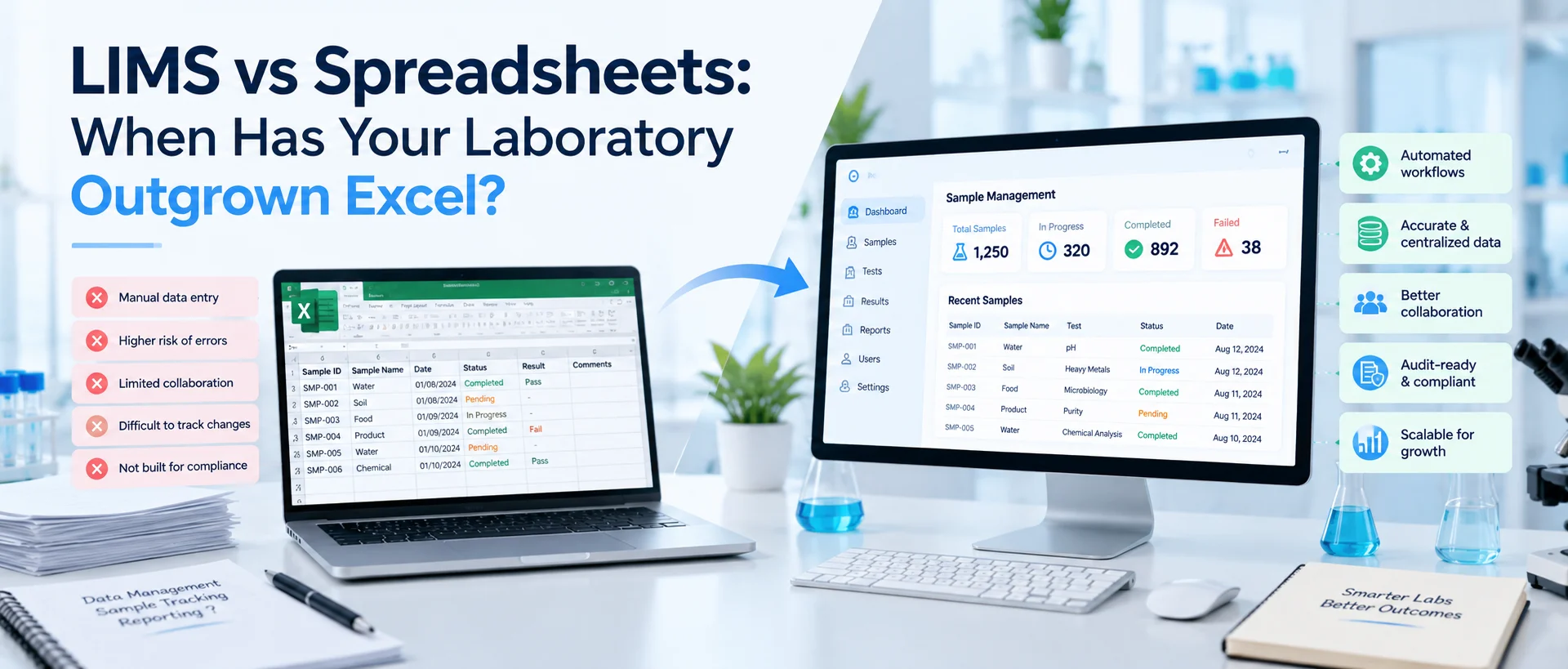
Excel is useful for laboratories. It is familiar, flexible, relatively easy to configure, and capable of organizing calculations, lists, schedules and many forms of laboratory data. For a small laboratory with limited sample volume and straightforward workflows, a well-managed spreadsheet may be entirely reasonable for certain tasks. The problem begins when spreadsheets stop being individual tools and start becoming the system that runs the laboratory.
A laboratory may have outgrown spreadsheets when sample tracking depends on multiple files, users are unsure which version is current, the same data is entered repeatedly, reviews happen outside the record, historical changes are difficult to reconstruct, or increasing sample volume makes status and workload harder to see. A LIMS addresses these problems by connecting samples, tests, results, users, instruments, approvals and reports within structured workflows.
The question is therefore not whether Excel is good or bad. It is whether a general-purpose spreadsheet still provides enough control for the laboratory's current level of complexity. For readers new to laboratory software, our guide explaining what a Laboratory Information Management System is provides the foundation for understanding the difference.
LIMS vs Excel: What Is the Fundamental Difference?
A spreadsheet organizes information primarily into cells, worksheets, and files. A LIMS organizes laboratory information around records and relationships. That difference becomes important as laboratory operations become more complex. Imagine a single sample.
In a spreadsheet-based process, the sample ID may appear in a receiving workbook. Testing requirements may be kept in another sheet. Instrument data might be stored separately. A reviewer may communicate approval through email. The final report may then be prepared in another document.
Every individual file can contain accurate information, yet the laboratory still has to maintain the relationships between those records manually. A LIMS is designed to preserve those relationships.
The sample can remain connected to its testing requirements, methods, results, users, instruments, status changes, quality records, reviews, approvals and reports. This connected structure is one of the most important differences between LIMS and spreadsheets.
Our guide to the core components of a Laboratory Information Management System explains how those laboratory modules work together rather than operating as independent tools.
Spreadsheets Are Not the Problem by Themselves
It is easy to oversimplify this comparison and say laboratories should stop using spreadsheets completely. That is not realistic.
Spreadsheets can remain useful for calculations, temporary analysis, planning, data exploration and many other legitimate laboratory or business purposes.
Modern spreadsheet platforms can also provide collaboration, file permissions and version history. The real issue is what the spreadsheet is being asked to control.
Managing a temporary calculation is different from managing the complete lifecycle of thousands of laboratory samples.
A personal data-analysis worksheet is different from a record that several analysts, reviewers and quality personnel must update and rely on.
As the spreadsheet becomes responsible for sample identity, workflow status, test assignments, approvals, custody records and final reporting, the limitations of a general-purpose tool become more important.
Sign 1: Your Laboratory Has Too Many Versions of the Same Spreadsheet
One of the earliest warning signs is version confusion. The laboratory begins with one spreadsheet. Then somebody creates a copy for the current month. Another employee downloads it locally.
A revised version is emailed to another department. Someone adds a new column. Another team continues using the previous template. Eventually files begin appearing with names such as:
Sample_Log_Final.xlsx
Sample_Log_Final_v2.xlsx
Sample_Log_Final_Updated.xlsx
Sample_Log_Final_Updated_NEW.xlsx
The problem is not simply untidy filenames. The real problem is uncertainty about which record represents the current state of laboratory work. Cloud collaboration tools can reduce some file-copy problems because several users may work in one shared spreadsheet.
Even then, however, the laboratory must still design rules around who can change fields, what changes mean, how workflow states are controlled and how historical laboratory context is preserved. A LIMS approaches the problem differently.
Instead of maintaining several copies of the same operational record, authorized users interact with the same sample, test or workflow record according to assigned roles and permissions.
Sign 2: Sample Tracking Requires Manual Updates Across Several Files
A sample rarely stays in one state. It arrives. It is registered. Tests are assigned. It moves to preparation. Testing begins. The sample may move into temporary storage. Results are entered. Work moves to review. The final outcome is approved and reported.
If every transition requires someone to manually update one or more spreadsheets, the laboratory becomes increasingly dependent on people remembering administrative steps. One sheet may say testing is complete while another still shows the sample as pending.
The physical sample may move but its storage location may not be updated immediately. A supervisor may not know that results are ready for review because the status spreadsheet has not been changed. This becomes more difficult as sample volume grows.
LabZila's sample management software is structured around keeping sample identifiers, locations, testing activity, transfers and lifecycle status connected within one record rather than relying on separate manual tracking files. The planned product content specifically emphasizes centralized status, location and traceability across the sample lifecycle.
Sign 3: The Same Laboratory Data Is Entered Again and Again
Duplicate data entry is another indication that the current system is becoming inefficient. Consider the journey of basic sample information. Receiving enters the sample ID and description into a spreadsheet.
An analyst copies the same information into a testing worksheet. Instrument data is entered into another file. A reviewer copies selected information into a review tracker. Finally, somebody retypes the approved information into a laboratory report.
The laboratory is not creating new information at every stage. It is repeatedly moving existing information between disconnected formats. This creates two problems. First, it consumes staff time.
Second, every manual transcription creates an opportunity for the new entry to differ from the original.
A LIMS can reduce unnecessary repetition by allowing information recorded earlier in the workflow to remain available later. Sample information can stay connected to testing. Results can stay connected to review. Approved information can move into reporting.
LabZila's platform architecture was specifically designed around replacing fragmented spreadsheets and disconnected processes with connected sample tracking, testing, quality activities, instrument data and reporting.
Sign 4: You Cannot Easily Reconstruct What Happened to a Sample
Traceability is one of the clearest differences in the LIMS vs spreadsheets discussion. Imagine a laboratory manager receives a question about a sample tested six months ago. Can the team easily determine:
when it arrived,
who received it,
which tests were assigned,
where it was stored,
which method applied,
who entered the results,
whether anything was corrected,
who reviewed the work,
when it was approved,
and which report was issued?
In a spreadsheet-based environment, pieces of this history may exist across several files. Reconstructing the complete story may require searching emails, instrument directories, shared drives and archived workbooks.
A LIMS can maintain these relationships as part of the sample and workflow history. This does not mean every LIMS automatically provides every type of traceability a laboratory may need. Configuration, user practices and system design still matter.
But the system is designed around maintaining linked laboratory records rather than forcing users to rebuild the relationship manually afterward.
Sign 5: Reviews and Approvals Happen Outside the Spreadsheet
Many laboratories use spreadsheets to record results but rely on another communication channel to manage reviews. An analyst finishes the work and sends an email. The reviewer checks the file and replies. Another person updates the status.
A final approver receives a separate message. This creates a gap between the laboratory record and the decision about that record. The spreadsheet may contain the result, but the reason it was approved, rejected or returned may live somewhere else.
That separation becomes difficult to manage when work volume increases. Structured LIMS workflows can route records through defined review stages while maintaining the relationship between the record and its status.
LabZila's laboratory workflow automation software supports configured assignments, status changes, review routing, approvals, notifications and escalations. Its workflow structure is intended to make current ownership and pending actions more visible rather than relying entirely on manual follow-up.
Sign 6: You Need Better History of Changes
Spreadsheets can maintain file or cell history depending on the software and configuration being used. That can be useful.
However, general spreadsheet version history is not the same thing as a laboratory workflow designed around controlled record changes. In some environments, laboratories need more structured answers to questions such as:
Who changed this result?
When was it changed?
What was the previous value?
Why was the change made?
Was the corrected information reviewed?
Which version was ultimately reported?
These questions are particularly important in regulated laboratory environments. For drug CGMP records, FDA states that firms are responsible for ensuring data are reliable and accurate and should use meaningful, risk-based strategies to manage data-integrity risks.
FDA: Data Integrity and Compliance With Drug CGMP That FDA guidance applies to its relevant regulated context; it does not mean every spreadsheet in every laboratory is automatically unacceptable. The correct lesson is that a laboratory should choose record controls appropriate to the data, risk and requirements involved.
Sign 7: Sample Volume Is Growing Faster Than Your Tracking Process
A spreadsheet that works comfortably for 20 active samples may become difficult to use when the laboratory manages hundreds or thousands of records.
More samples mean more rows, more testing assignments, more status changes, more locations, more users and more opportunities for information to become outdated.
The spreadsheet itself may technically be capable of holding the data. That is not necessarily the problem. The challenge is coordinating the workflow around the data.
Who owns each action?
Which samples are overdue?
Which are waiting for testing?
Which are waiting for technical review?
Which reports are blocked?
Which instruments or analysts have growing workloads?
A LIMS is better suited to managing these relationships because the system can organize work by status, assignment, sample, test, user and other structured attributes instead of requiring managers to interpret one increasingly complicated workbook.
Sign 8: Managers Cannot See the Laboratory's Current Workload Clearly
A laboratory manager should not have to wait for the end of the week to understand what is happening. When information is distributed across several spreadsheets, management visibility often depends on somebody combining the files.
The laboratory may have a sample tracker, analyst workload sheet, instrument schedule, report tracker and quality log. Each file answers one question. None provides the complete picture. As a result, operational issues may become visible only after something is already late.
A connected laboratory information system can provide views based on information that already exists in the workflow. Managers may be able to examine sample backlog, testing progress, assignments, approvals and turnaround status without manually merging several sources.
This is one of the practical benefits and advantages of a LIMS: better operational visibility comes from connecting existing laboratory records rather than continually rebuilding management reports.
Sign 9: Instrument Data Is Disconnected From Sample Records
Laboratory instruments generate important data, but spreadsheet-driven environments often leave instrument information separate from the sample-management process. An instrument produces a result file. An analyst opens the file. The required result is copied into a spreadsheet.
Later, someone needs to determine which instrument file supported that spreadsheet entry. This creates another manual relationship that laboratory personnel must maintain. Where compatible interfaces exist, a LIMS can connect instrument-generated information more directly with the relevant sample and test record.
LabZila's LIMS integrations are designed around supported connections with compatible instruments and external systems through interfaces, APIs, middleware and structured data formats.
Integration does not eliminate the need for appropriate testing, configuration and laboratory oversight. It reduces the need to maintain important data relationships through manual transcription alone.
Sign 10: Spreadsheet Formulas and Structure Are Becoming Difficult to Control
Spreadsheets are powerful because users can change them easily. That flexibility can also create operational risk when the spreadsheet becomes a critical laboratory tool.
A formula can be overwritten. A column can be moved. A validation rule can be changed. A row can be accidentally excluded from a range. A workbook can be copied and then modified differently from the original.
These issues do not mean spreadsheets are inherently unreliable. They mean critical spreadsheets require governance appropriate to their intended use.
As the workbook becomes more complicated, the effort required to control formulas, templates, permissions, changes and testing may also increase.
For regulated computerized systems, the required controls depend on the intended use and applicable requirements. FDA guidance for computerized clinical-trial systems, for example, discusses functional testing and software controls even when general-purpose database or spreadsheet software is used in relevant electronic-data workflows.
FDA: Computerized Systems Used in Clinical Trials Again, this is regulatory-context specific. Laboratories should evaluate spreadsheet controls according to their own use case and applicable obligations.
Sign 11: Reporting Requires Copying Data Into New Documents
A laboratory may manage testing in spreadsheets but still prepare reports manually. That means final results, sample information, methods and other required fields have to be transferred into a report or Certificate of Analysis.
The same information that has already moved through several files now has to be moved one more time. This can slow reporting and create another opportunity for inconsistencies between the approved laboratory record and the issued document.
A connected LIMS can use reviewed and approved information within the reporting workflow. LabZila's LIMS software features connect sample tracking, testing, quality processes, instrument data and reporting within the wider laboratory workflow.
This does not mean every report should be generated automatically without review. Appropriate authorization remains important. The benefit is reducing unnecessary reconstruction of information that has already been captured.
Sign 12: The Laboratory Depends on One Person Who Understands the Spreadsheet
Many laboratory spreadsheet systems gradually become dependent on their creator. One employee knows what every color means. They know which formulas should never be touched. They know which sheet must be updated before another workbook is refreshed.
They know why some rows are hidden. They understand which file is actually current. The process works but largely because that person is there. This is a business continuity problem as much as a software problem.
If that employee changes roles, takes extended leave or leaves the organization, the laboratory may discover that important operational knowledge was embedded in a workbook rather than in a defined process.
A LIMS does not automatically solve knowledge-transfer problems, but structured workflows, roles and records can reduce dependence on undocumented personal workarounds.
LIMS vs Spreadsheets: Practical Comparison
| Area | Spreadsheet-Based Management | LIMS-Based Management |
|---|---|---|
| Sample identity | Usually rows/cells and manual IDs | Structured sample records and identifiers |
| Sample status | Manually updated | Connected to workflow states |
| Location tracking | Manual logs or columns | Can be linked to sample lifecycle |
| Testing requirements | Separate sheets/templates may be required | Tests and methods can be associated with samples |
| Result entry | Commonly manual | Manual entry and supported integrations may be available |
| Review process | Often email or separate tracking | Can be routed through structured workflows |
| Traceability | Depends heavily on file design and governance | Designed around connected record histories |
| Instrument connectivity | Often manual transcription/import | Can support structured integration |
| Reporting | Frequently copied into templates | Can use reviewed records within reporting workflows |
| Operational visibility | Often requires consolidation | Data can be viewed by current workflow status |
| Scaling | Complexity increases with files, formulas and users | Structured for increasing samples, users and workflows |
The table does not mean LIMS wins every category for every laboratory. A very small laboratory with simple workflows may find spreadsheets entirely sufficient.
The important point is recognizing when maintaining the spreadsheet environment itself has become a significant part of laboratory operations.
When Are Spreadsheets Still Enough?
A laboratory should not buy a LIMS simply because LIMS software exists. Spreadsheets may remain suitable when processes are relatively simple, sample volumes are modest, only a small number of people interact with the data, and the risks associated with manual management are well understood.
They may also remain useful alongside a LIMS for temporary analysis, ad hoc calculations or business planning. The decision should be based on operational need.
If a spreadsheet allows the laboratory to control its work reliably without excessive manual reconciliation, it may still be an appropriate tool.
The case for LIMS becomes stronger when the laboratory is trying to use spreadsheets for tasks that depend heavily on relationships, workflow, permissions, traceability and coordination between several users.
How Much Sample Volume Is Too Much for Excel?
There is no universal number. A laboratory does not suddenly need a LIMS at sample 501. Two laboratories processing the same number of samples can have completely different levels of complexity.
One may perform a single test on every sample. Another may manage dozens of tests, aliquots, instruments, reviewers, quality events and client-specific reporting requirements.
The second laboratory may reach the limits of spreadsheet-based management much earlier. A better way to judge readiness is to look at workflow friction rather than raw sample count.
How much time is spent updating trackers?
How often does staff need to reconcile files?
How frequently are statuses unclear?
How much manual entry is duplicated?
How difficult is it to reconstruct a sample history?
How long does management reporting take?
Those questions reveal more than sample volume alone.
Does Moving to a LIMS Mean Abandoning Excel?
Usually not. LIMS and spreadsheets serve different purposes. Excel remains an effective general-purpose analysis tool. A LIMS is designed specifically to manage structured laboratory records and workflows.
The laboratory may continue exporting selected data for legitimate analysis, planning or visualization while the LIMS remains the controlled source for operational records.
The objective is not to ban spreadsheets. It is to stop asking them to perform jobs for which the laboratory now needs a more structured system.
What Should You Fix Before Migrating From Spreadsheets to a LIMS?
A LIMS migration should not begin by uploading every spreadsheet exactly as it exists. First understand what those spreadsheets are doing. Some columns may represent essential laboratory data.
Others may exist only because the current process required a workaround. Different workbooks may use inconsistent sample names, status values or method terminology. Duplicate records may exist.
Obsolete information may still be present. Migrating all of that without review can move the current problems into a new system. Start by mapping the sample lifecycle, tests, methods, users, approval stages and reporting requirements.
Then identify which data needs to migrate and which should be cleaned, standardized or archived according to the laboratory's requirements. The upcoming LabZila migration and implementation guides in this content cluster will address that transition in much more detail.
What Changes When a Laboratory Moves From Excel to LIMS?
The most important change is not the user interface. It is the way laboratory information is structured. Instead of treating every operational question as another spreadsheet column, the laboratory begins working with connected records.
The sample has an identity. Tests are associated with it. Users have defined roles. Results move through workflow states. Actions can be assigned. Approved records can progress toward reporting.
The laboratory can therefore manage the workflow rather than simply documenting pieces of it after the fact. Our guide on how a Laboratory Information Management System works follows this process from sample receipt through testing, review, approval and reporting.
How Can LabZila Help Laboratories Moving Beyond Spreadsheets?
LabZila is designed around a problem common to growing laboratories: important laboratory information becoming distributed across spreadsheets, paper records and disconnected software.
Its platform brings sample management, testing, quality records, instruments, workflows and reporting into a configurable LIMS structure. The existing LabZila content specifically positions this approach around clearer visibility, stronger traceability and reduced fragmented processes rather than simply digitizing individual files.
For laboratories evaluating whether they have reached that stage, the best first step is not immediately replacing every spreadsheet. Map where spreadsheets currently sit in the workflow.
Identify which ones are simply useful analysis tools and which ones have quietly become essential operational systems. The second group usually reveals where a structured LIMS can provide the greatest value.
Final Thoughts
The LIMS vs spreadsheets decision is not really about Excel. It is about laboratory complexity. Spreadsheets can work well when data volumes, user interactions and workflows remain manageable.
But once the laboratory depends on multiple versions, repeated manual entry, separate status trackers, email-based approvals, disconnected instrument files and difficult-to-reconstruct histories, the administrative burden begins to grow.
That is often the point at which a LIMS becomes worth evaluating. A LIMS does not replace good laboratory processes. It gives those processes a structured system for connecting samples, tests, methods, results, people, instruments, reviews and reports.
The clearest sign that your laboratory has outgrown Excel is therefore not the size of the workbook. It is when maintaining the spreadsheet system starts taking attention away from managing the laboratory itself.
If your team is spending more time reconciling laboratory spreadsheets, finding sample status and following up on reviews, explore how LabZila LIMS software can bring those activities into a more connected workflow.
=================================================================