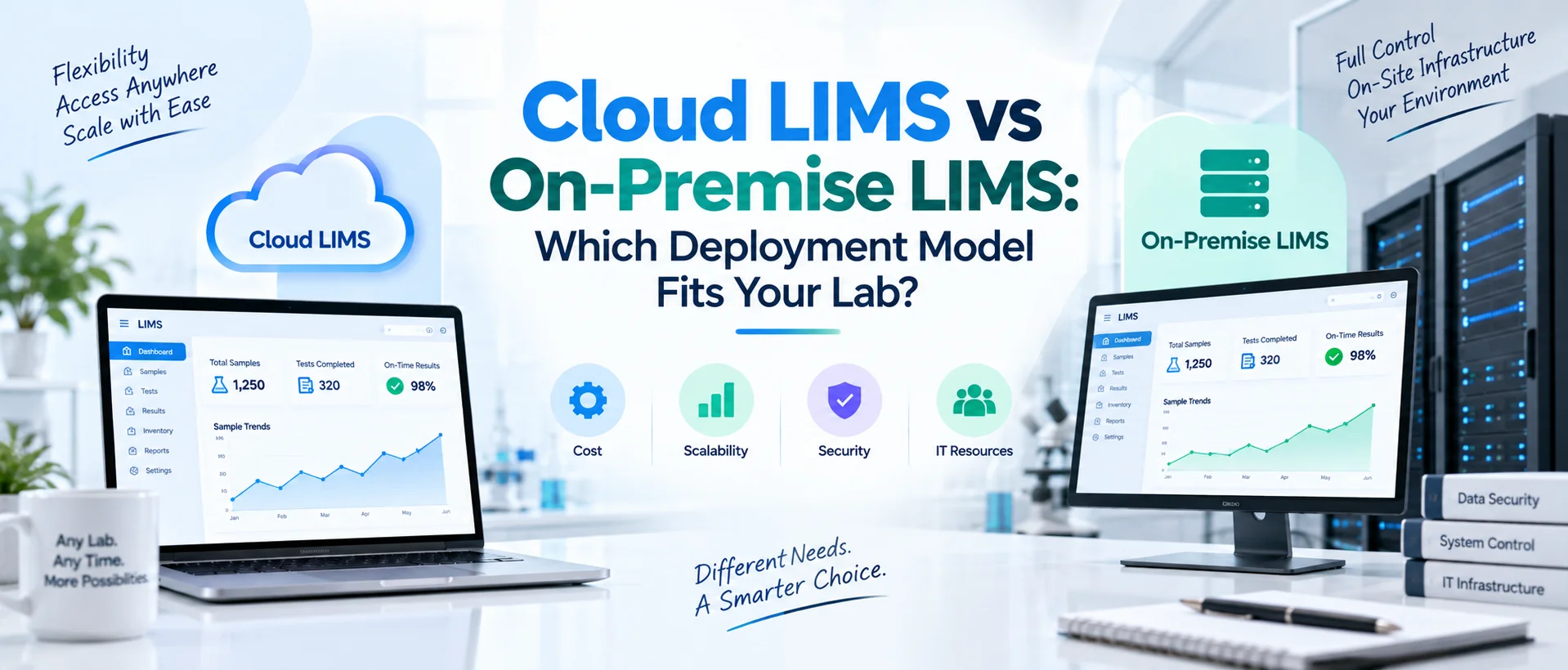
Choosing a LIMS is not only about features. Your laboratory also needs to decide where the system will run, who will maintain its infrastructure, how users will access it, who controls updates and how responsibilities for availability, security and recovery will be divided.
Those questions lead to one of the most important technical decisions in LIMS selection: cloud or on-premise deployment. A cloud LIMS generally runs on remotely hosted infrastructure and can shift much of the hosting, maintenance, updates and infrastructure management to a provider.
An on-premise LIMS runs within infrastructure controlled by the laboratory or its organization, providing greater direct control but usually requiring more internal IT responsibility.
Neither model is automatically better; the right choice depends on your IT resources, security requirements, integrations, availability needs, governance and long-term operating model.
The decision should therefore be made from operational and technical requirements not from the assumption that cloud is always modern or on-premise is always more secure. If you are still separating deployment terminology such as cloud, SaaS, web-based and enterprise systems, start with our guide to the different types of LIMS.
What Is a Cloud LIMS?
A cloud LIMS operates using cloud computing infrastructure rather than relying entirely on application servers maintained inside the laboratory's own physical environment. Users commonly access the application over a network through a supported web browser.
Depending on the service model, the provider may manage significant portions of the underlying application infrastructure, such as hosting, platform maintenance, backups and software updates.
The National Institute of Standards and Technology defines cloud computing as a model that provides on-demand access to shared configurable computing resources and identifies characteristics such as broad network access, rapid elasticity and measured service. NIST also distinguishes service models such as SaaS, PaaS and IaaS.
For laboratories, the important point is that cloud does not describe only where a server sits. It also changes how infrastructure responsibilities may be divided between the laboratory and service provider.
LabZila's Cloud LIMS software is designed around centrally managed, browser-based laboratory access with managed hosting, updates, backup controls and reduced dependence on locally maintained application infrastructure.
What Is an On-Premise LIMS?
An on-premise LIMS, more precisely called an on-premises LIMS, runs within infrastructure controlled by the laboratory or its parent organization.
The organization may operate the application servers, databases, storage, networking, backup environment and other supporting technology itself.
This gives internal IT teams greater direct control over the operating environment. It also means the organization assumes more responsibility for keeping that environment secure, available, supported and up to date.In an on-premises model, your IT team may be responsible for areas such as:
server administration, database management, operating-system maintenance, backups, network security, monitoring, storage, disaster recovery, and coordinating application upgrades.
For organizations with mature infrastructure teams, that level of control may be desirable. For laboratories with limited IT capacity, it can become a significant operational commitment.
Cloud LIMS vs On-Premise LIMS at a Glance
| Area | Cloud LIMS | On-Premise LIMS |
|---|---|---|
| Hosting | Remote/cloud infrastructure | Organization-controlled infrastructure |
| Application access | Usually browser/network based | Can be browser or locally accessed depending on architecture |
| Infrastructure ownership | Typically provider or cloud service | Laboratory or parent organization |
| Server administration | Often provider-managed | Usually internal IT responsibility |
| Software updates | Often centrally managed | Usually coordinated internally |
| Initial infrastructure requirement | Generally lower | Often higher |
| IT workload | Usually reduced for application infrastructure | Usually greater |
| Direct infrastructure control | Lower than fully self-managed deployment | Higher |
| Scalability | Often easier to expand infrastructure resources | May require infrastructure planning or procurement |
| Remote/multi-site access | Often easier to support | Depends on networking and architecture |
| Internet dependency | Generally significant | May allow local network operation depending on architecture |
| Backup/recovery responsibility | Often shared/provider-led | Usually organization-led |
| Upgrade timing | May follow provider release model | Can often be coordinated internally |
| Integration architecture | May require secure cloud-to-local connectivity | May connect directly within internal networks |
| Cost model | Commonly recurring subscription/service costs | May combine licenses, infrastructure and internal IT costs |
These are typical characteristics rather than guarantees. Actual responsibility depends on the specific vendor, architecture and contract.
The Most Important Difference Is Responsibility
The cloud-versus-on-premises decision is often described as a location question: “Where is the software hosted?” That matters, but responsibility matters more.
Who maintains the environment?
Who installs security patches?
Who monitors infrastructure?
Who creates backups?
Who tests recovery?
Who deploys upgrades?
Who responds when a server fails?
Who expands storage when data grows?
Who monitors performance?
Those responsibilities exist regardless of deployment model. The difference is who performs them.
NIST's cloud-computing recommendations emphasize that organizations should evaluate cloud options in terms of management, security, reliability, data governance, portability and other operational considerations rather than assuming one deployment model is universally appropriate.
1. Infrastructure Requirements
Infrastructure is one of the clearest differences between cloud LIMS vs on-premise LIMS.
Cloud LIMS
In a managed cloud environment, the laboratory may not need to purchase and maintain dedicated local application servers for the LIMS. Hosting infrastructure is handled through the agreed cloud architecture.
That can reduce responsibility for hardware procurement, operating-system maintenance, storage expansion and some routine infrastructure administration.
However, internal infrastructure does not disappear completely. The laboratory still needs reliable: internet connectivity, user devices, identity management, network controls, and appropriate business-continuity planning.
On-Premise LIMS
An on-premises implementation places more infrastructure inside the organization's responsibility. IT may need to provision: application servers, database servers, storage, backup systems, networking, monitoring, and disaster-recovery resources.
The organization must also consider hardware lifecycle. Servers age. Storage demand increases. Operating systems eventually reach end of support. Infrastructure therefore becomes part of the long-term LIMS lifecycle rather than a one-time installation decision.
2. Internal IT Resources
Before choosing a deployment model, evaluate your IT team realistically. Do you have people available to manage: servers, databases, backups, networking, security updates, monitoring, disaster recovery, and application infrastructure?
If not, on-premises deployment can create a technical workload the laboratory was not prepared to own. Cloud deployment can shift much of that work toward the provider.
That can be particularly useful for small or medium-sized laboratories that need sophisticated laboratory software but do not want to operate a specialized application infrastructure team. Large organizations may reach a different conclusion.
A pharmaceutical company, hospital network or enterprise testing organization may already have dedicated infrastructure, database, cybersecurity and application-management teams. For them, an on-premises LIMS may fit naturally within an established IT operating model.
3. Access From Multiple Locations
Laboratories increasingly operate across more than one physical location. A contract laboratory may have several testing sites.
A laboratory manager may need visibility into another facility. QA personnel may support multiple locations. IT administrators may work remotely.
Cloud LIMS can simplify distributed access because authorized users generally connect to a centrally hosted system through a supported network and browser environment.
That does not mean access should be unrestricted. Identity, permissions, authentication and network controls remain important.
On-premises systems can also support multi-site access, but the organization may need to design and maintain the networking architecture that connects remote users or facilities with the LIMS environment.
This can involve VPNs, private networks, identity infrastructure or other enterprise connectivity. The important question is not: “Can users access the LIMS remotely?”
It is: “What architecture, security controls and IT effort are required to give our authorized users reliable access?”
4. Software Updates
Updates affect security, functionality, validation and business continuity.
Cloud LIMS Updates
Cloud or SaaS platforms commonly use a centrally managed update process. The provider may deploy maintenance releases, security patches and platform improvements without requiring each customer to install software manually.
This can reduce internal administration. But laboratories still need to understand: how frequently updates occur, how they are communicated, whether release notes are provided, whether testing environments are available, and how changes affecting validated or controlled workflows are handled.
On-Premise LIMS Updates
An on-premises environment can give the organization greater control over update timing. IT, QA and operations may be able to coordinate upgrades with: internal maintenance windows, testing, validation procedures, instrument integrations, and change-control processes.
The trade-off is responsibility. The organization must ensure updates are not postponed indefinitely. Greater control provides value only when there is a reliable process for maintaining the environment.
5. Security
One of the most common assumptions in this comparison is: “On-premise must be more secure because the data stays inside our building.” That conclusion is too simple. Security depends on architecture and controls not only physical location.
A cloud environment can be configured poorly. An on-premises environment can also be poorly patched, inadequately monitored or protected by weak access controls. A meaningful security comparison should examine:
authentication, role-based permissions, encryption, privileged access, security monitoring, network architecture, backup security, incident response, vulnerability management, and administrative procedures.
For cloud deployment, also evaluate the provider's responsibilities. For on-premises deployment, evaluate whether your organization has the resources to perform those responsibilities effectively.
The LabZila LIMS features include role-based permissions, activity records and controlled laboratory workflows, but overall security still depends on deployment architecture, configuration and organizational administration.
6. Control Over the Environment
On-premises deployment generally gives internal IT teams more direct control over infrastructure. They may control: server configuration, database configuration, networking, maintenance windows, backup architecture, and upgrade timing.
This can be useful where organizations have strict internal technology standards. However, direct control should not be confused with automatic operational benefit. Control creates responsibility.
If your organization owns the environment, it also owns more of the work required to keep that environment functioning correctly.
Cloud deployment generally trades some direct infrastructure control for managed service. The decision depends on which operating model your organization is better equipped to govern.
7. Data Location and Residency
Some laboratories or parent organizations have policies governing where information can be stored. These may arise from: contractual commitments, privacy requirements, client expectations, corporate policy, or regional data-governance rules. Before selecting cloud deployment, ask:
Where will our data be hosted?
Can a hosting region be selected?
Where are backups stored?
Can support personnel access the environment?
What subcontractors or cloud providers are involved?
For on-premises deployment, ask equally important questions:
Where are primary records stored?
Where are backups stored?
Does the disaster-recovery environment operate elsewhere?
Who has administrative access?
Data residency is therefore an architecture question for both models, not only cloud.
8. Backup and Recovery
Every laboratory needs to consider what happens when systems fail. A managed cloud LIMS may provide scheduled backups and recovery controls as part of the hosting arrangement. This can reduce the amount of backup infrastructure the laboratory maintains directly. But procurement teams should verify the details. Ask:
How often are backups performed?
How long are they retained?
Are backups geographically separated?
How is restoration requested?
How often is recovery tested?
What recovery objectives are supported?
With an on-premises LIMS, these responsibilities are usually more directly controlled by internal IT. The organization needs appropriate: backup software, storage, off-site or separated recovery copies, monitoring, and documented restoration procedures. The important question is not simply whether backups exist. It is whether the laboratory can restore the system and the required records when needed.
9. Business Continuity and Internet Dependency
A cloud LIMS generally requires network connectivity to reach the hosted environment. If the laboratory loses internet access, normal access may be interrupted unless the architecture includes a confirmed offline or continuity mechanism.
Laboratories should therefore assess: internet reliability, redundant connectivity, critical workflow needs, downtime procedures, and recovery expectations.
An on-premises system may remain available over the local network during an external internet outage, depending on architecture.
But it has different failure risks. A local server outage, storage failure, facility problem or internal network failure can interrupt service. Neither model eliminates downtime risk.
The risk profile simply changes. A laboratory should ask: What failures are most likely in our environment, and how will we continue operating when they occur?
10. Scalability
Laboratories change. Sample volume increases. More analysts join. New departments use the system. Additional storage is required. Another site may open.
Cloud architecture can make infrastructure scaling easier because additional compute, database or storage resources can often be provisioned without purchasing new physical servers. That does not mean scaling is unlimited or free.
Vendor plans, architecture and pricing still matter. On-premises systems can also scale, but expansion may require capacity planning, hardware procurement, storage increases or infrastructure changes.
For growing laboratories, scaling questions should be asked before purchase rather than when the existing environment is already at capacity.
11. Instrument Integration
Instrument connectivity is often one of the strongest arguments raised during the cloud LIMS vs on-premise LIMS discussion. Many laboratory instruments operate on local networks.
An on-premises LIMS may communicate with them within the organization's internal environment. A cloud LIMS may require a supported integration mechanism between local laboratory equipment and the hosted application.
That can involve: middleware, integration agents, APIs, secure gateways, structured file exchange, or another supported interface. Neither approach should be assumed to work automatically.
Inventory critical instruments before selecting deployment. For each instrument, determine: the interface available, the information that needs to move, the direction of transfer, network requirements, security requirements, and what happens during connectivity loss.
LabZila's LIMS integration capabilities are evaluated according to instrument compatibility, available interfaces, data formats and required laboratory workflow rather than assuming every instrument connects identically.
12. Integration With Enterprise Systems
The same planning applies to ERP, ELN, LIS, EHR and other systems. On-premises enterprise applications may be easier to reach from an internally hosted LIMS in some architectures.
A cloud deployment may require secure interfaces between the hosted environment and internal systems. On the other hand, organizations increasingly use cloud-based enterprise applications themselves, making a cloud-to-cloud integration entirely reasonable.
The correct choice depends on your actual technology landscape. Do not evaluate the LIMS deployment independently from the systems around it.
Create an architecture diagram showing: laboratory instruments, LIMS, ERP, ELN, clinical systems, reporting applications, identity systems, and external users. Then evaluate how each deployment option affects those connections.
13. Configuration and Customization
Deployment model and configurability are different concepts. A cloud LIMS can be highly configurable. An on-premises LIMS can also be highly configurable. Do not choose on-premises simply because you assume it provides more workflow flexibility.
Instead, ask what can be configured within the application. Can your team define: sample types, methods, fields, workflows, permissions, reports, notifications, and quality processes?
If a requirement needs custom development, determine whether that customization is supported in both deployment models and how it affects future updates. The LIMS requirements checklist can help your IT and laboratory teams document those requirements before comparing architectures.
14. Validation and Controlled Change
Regulated laboratories need to consider deployment through the lens of their quality and validation processes. Neither cloud nor on-premises deployment automatically creates compliance.
The laboratory still needs to determine applicable requirements and manage the system according to intended use. Cloud environments may update through a provider-managed release schedule.
That makes vendor change communication and customer impact assessment important. On-premises environments may give the organization more direct control over when a release is installed.
That can make coordination with internal testing and change control easier, but it also gives the organization more responsibility for maintaining supported software. The decision should therefore consider your ability to manage change—not simply your preference for control.
15. Maintenance
Maintenance is one of the largest operational differences between the two models. With a managed cloud LIMS, the provider may handle significant portions of: hosting, application maintenance, platform updates, backups, and infrastructure monitoring.
The laboratory still manages its workflows, users, data and organizational controls, but it does not need to administer every layer of the technology stack. With an on-premises deployment, internal IT typically assumes more of that work.
This may be entirely acceptable for a mature enterprise IT department. For a laboratory with one generalist IT employee, it may be a serious burden. When comparing costs, include the people required to operate the system.
16. Implementation
Cloud implementations can reduce some infrastructure tasks, but they are not automatically simple projects. The laboratory may still need: workflow discovery, configuration, migration, integration, user setup, testing, validation, training, and change management.
On-premises deployment adds another technical layer. Infrastructure must be planned, provisioned and tested before the application can operate reliably. Server and database requirements may need to be confirmed.
Security teams may need to review architecture. Backup and recovery processes need to be established. Technical handover may also be required.
LabZila's deployment approach can be discussed around the laboratory's infrastructure, security, workflow, integration and validation requirements, including organization-controlled deployment where appropriate.
17. Cost
Cloud and on-premises systems often have different cost structures.
Cloud LIMS Costs May Include subscription or service fees, users, storage, implementation, integrations, support, and additional usage or modules. Much of the infrastructure cost may be incorporated into the service.
On-Premise LIMS Costs May Include software licensing, servers, database infrastructure, storage, backup infrastructure, networking, implementation, integrations, IT administration, security tooling, maintenance, and upgrades.
This is why the license price alone provides an incomplete comparison. Our guide to how much a LIMS costs explains why laboratories should calculate total cost of ownership across several years.
An on-premises quote may appear less expensive if internal IT labor and infrastructure are excluded. A cloud subscription may appear more expensive if the cost of maintaining equivalent infrastructure internally is ignored. Compare like with like.
18. Multi-Site Laboratories
Multi-site laboratories should pay particular attention to architecture. A cloud LIMS can provide a centralized environment that authorized users across several locations can access through supported network connections.
This can simplify centralized administration and shared workflows. An on-premises enterprise deployment can also support multiple sites, but the organization must operate the connectivity and infrastructure required to keep those sites reliably connected. Questions include:
Will every site use the same workflows?
Will master data be centralized?
Are there site-specific permissions?
Can users work across locations?
Are reports generated centrally?
Where are instruments located?
How will each site connect if the main network becomes unavailable?
Architecture should reflect how the organization actually operates.
19. Vendor Dependency vs Internal Dependency
Cloud deployment can increase dependence on the software and hosting provider for infrastructure operations. That makes service agreements, data portability, support and exit planning important.
On-premises deployment reduces some provider infrastructure dependency but increases reliance on your internal teams. If only one employee understands the database, server configuration and backup process, you have simply moved the dependency elsewhere.
Both models therefore require continuity planning.
- For cloud: What happens if we change vendors?
- For on-premises: What happens if key IT personnel leave?
Risk should be evaluated in both directions.
Cloud LIMS vs On-Premise LIMS: Decision Matrix
| Requirement | Cloud May Be Stronger When… | On-Premise May Be Stronger When… |
|---|---|---|
| Internal IT capacity | IT resources are limited | Organization has experienced infrastructure teams |
| Remote access | Distributed access is important | Access is mainly within controlled internal networks |
| Infrastructure ownership | Lab prefers managed hosting | Organization requires direct infrastructure ownership |
| Updates | Managed releases are preferred | Organization needs greater control over release timing |
| Scaling | Rapid infrastructure expansion may be needed | Capacity can be planned internally |
| Multi-site use | Central browser-based access is preferred | Enterprise networking already supports sites |
| Internet dependency | Reliable redundant connectivity is available | Local operation is a strong requirement |
| Integration | Supported secure integration architecture is available | Most systems operate within an internal network |
| Security operations | Provider-managed infrastructure reduces internal workload | Organization has mature internal security operations |
| Capital infrastructure | Organization wants to limit local hardware | Existing infrastructure is already available |
| Administration | Managed infrastructure is desirable | Internal IT wants full environment control |
The words “may be stronger” are intentional. These are decision factors, not universal rules.
Which Model Is Better for a Small Laboratory?
A small laboratory with limited IT resources will often find cloud deployment easier to operate. The laboratory can focus on: samples, testing, quality, users, and reporting rather than maintaining servers and databases.
That does not mean every small laboratory should automatically choose cloud. A specialized facility may have unusual connectivity or infrastructure requirements. But if your team has no appetite for operating application infrastructure, that should carry significant weight in the decision.
Which Model Is Better for a Large Enterprise Laboratory?
Large organizations need a more nuanced evaluation. They may already have: data centers, cloud platforms, cybersecurity teams, database administrators, identity infrastructure, enterprise monitoring, and formal release management.
Either deployment model can work. The decision may instead depend on: corporate cloud strategy, data governance, existing enterprise architecture, integration topology, validation procedures, multi-site requirements, and application-management standards.
Some large organizations intentionally prefer SaaS. Others maintain private or internal environments for particular applications. Size alone does not determine the answer.
Which Is More Secure: Cloud or On-Premise LIMS?
Neither can be declared universally more secure. A cloud LIMS can benefit from professionally managed hosting, centralized patching, monitored infrastructure, backups and established security services. But those benefits depend on the provider and configuration.
An on-premises LIMS gives the organization direct infrastructure control. That can be valuable when the organization has strong security capabilities. But if servers are not patched, backups are weak or administrative access is poorly controlled, physical ownership does not create security.
Evaluate evidence. Ask both cloud and on-premises vendors or teams about: identity, permissions, encryption, logging, backup, recovery, monitoring, vulnerability management, incident handling, and administrative access. Security should be treated as a control framework, not a location preference.
Which Deployment Is Easier to Maintain?
In general, a fully managed cloud LIMS reduces the amount of infrastructure maintenance performed by the laboratory. That is one of its strongest operational advantages.
The application provider can manage hosting and platform maintenance while laboratory personnel focus on application configuration and laboratory use. On-premises deployment generally requires more internal administration.
For organizations that already operate mature enterprise infrastructure, this may not be problematic. For laboratories without those resources, maintenance can become one of the largest hidden costs of the on-premises model.
Can a Cloud LIMS Work With Local Laboratory Instruments?
Yes, provided suitable connectivity exists. The question is not whether the LIMS is in the cloud. The question is whether a supported, secure path exists between the instrument environment and the hosted LIMS.
Depending on the instrument, this may use: an integration service, middleware, API, local agent, structured files, or another supported mechanism.
Instrument compatibility should be confirmed during technical discovery. Do not assume cloud prevents integration, and do not assume on-premises automatically guarantees it.
Should Regulated Laboratories Avoid Cloud LIMS?
Not simply because it is cloud-based. Regulated laboratories should evaluate whether the complete system and operating model can support applicable requirements. That includes: intended use, electronic records, access, change management, validation, backup, availability, vendor oversight, data integrity, and procedures.
Cloud deployment changes some responsibilities but does not remove laboratory accountability. Similarly, choosing an on-premises LIMS does not itself demonstrate compliance. The deployment model is only one part of the controlled computerized-system environment.
Questions to Ask Before Choosing Cloud or On-Premise LIMS
Your IT and laboratory teams should be able to answer these questions before final selection:
Who will host the application?
Who will manage databases and infrastructure?
Who installs patches and updates?
Can we control update timing when required?
How will users at every location connect?
What happens during internet or network failure?
Where will data and backups reside?
How is disaster recovery handled?
Which instruments and systems need integrations?
Can those integrations work with the proposed architecture?
What does our internal IT team need to maintain?
How does the system scale?
How does each model affect validation and change management?
What are the three- to five-year operating costs?
How can we retrieve our data if we leave the platform?
If those questions are unanswered, the deployment decision is not yet complete.
How Should Your Laboratory Make the Final Decision?
Start with requirements, not architecture preference. Map your current IT environment. Document critical integrations. Understand user locations. Estimate sample and data growth. Define security and availability expectations.
Identify internal IT capacity. Establish change-control and validation needs where applicable. Then compare the two models. A simple weighting exercise can help:
| Factor | Importance | Cloud Score | On-Premise Score |
|---|---|---|---|
| Internal IT resources | |||
| Remote access | |||
| Infrastructure control | |||
| Update control | |||
| Instrument connectivity | |||
| Security requirements | |||
| Availability | |||
| Scalability | |||
| Business continuity | |||
| Total cost |
The scores should come from your environment not a generic article.
Where Does LabZila Fit?
LabZila is designed primarily around modern cloud-based laboratory management while also allowing deployment requirements to be discussed for organizations that need greater control over infrastructure, security or release schedules.
In a managed cloud model, authorized users can work through browser-based access while hosting, platform maintenance, backups and application updates can be managed through the selected deployment arrangement.
For organizations requiring more direct infrastructure control, an on-premises deployment can place the operating environment, security controls and upgrade schedule under internal IT management.
Regardless of deployment, laboratories should evaluate the same core areas: sample workflows, testing, quality processes, users, integrations, reporting, security, validation, and long-term administration.
The deployment architecture should support the LIMS not become the reason your laboratory has to redesign its entire operation.
Final Thoughts
The cloud LIMS vs on-premise LIMS decision is ultimately about operating responsibility. Cloud LIMS generally reduces the amount of application infrastructure the laboratory needs to maintain and can simplify managed updates, remote access and scaling.
On-premises LIMS generally gives organizations greater direct control over infrastructure, networking and update timing but places more responsibility on internal IT teams. Neither model is automatically more secure, compliant or appropriate.
Your laboratory should compare them based on: IT resources, security, access, integrations, availability, business continuity, data governance, change management, scalability, and total cost of ownership.
The best deployment model is the one your organization can operate reliably—not simply the one that sounds more modern or gives the greatest theoretical control.
If your team is evaluating the architecture for a new LIMS, review the LabZila Cloud LIMS capabilities and contact LabZila to discuss infrastructure, integrations, security and deployment requirements.
=================================================================